Agent Teams & Parallel Work
Overview
This chapter covers:
- Four ways to parallelise, and the three questions that choose between them
- Agent view — handing off work and checking back, rather than watching it
- Agent teams: what a lead, a task list and a mailbox actually are — and why enabling them changes ordinary delegation
- The file-conflict problem teams have that subagents don’t
- When parallelism costs more than it saves
Four shapes, not one
Chapter 17 was delegation inside one conversation. This is the rest of the family, and they differ by who coordinates:
| Approach | What it gives you | Coordinator |
|---|---|---|
| Subagents | Workers in your session that do a side task and return a summary | Claude, in your conversation |
| Agent view | One screen to dispatch and monitor background sessions — claude agents | You, checking back |
| Agent teams | Coordinated sessions with a shared task list and messaging | Claude, as a lead |
| Dynamic workflows | A script that runs many subagents and cross-checks their results | A script, not turn-by-turn judgment |
Two are research preview or experimental — agent view and agent teams respectively — which is worth knowing before you build a habit on either.
Three more things support this work without being ways to run agents. Worktrees (Chapter 9) give each session its own checkout. Cross-session messaging lets Claude talk to your other sessions. And /batch is a skill that splits one change into 5–30 worktree-isolated subagents, each opening a PR — a packaged use of the first two, not a fifth approach.
Which one?
Agent view
claude agents opens one screen showing every background session, its state, and which ones need you. Start work, leave, come back.
The property that makes it usable: agent view moves each dispatched session into its own worktree automatically. Chapter 9’s isolation, applied without you asking for it — which is exactly the difference between “several sessions” and “several sessions that overwrite each other”.
Agent teams
A team is several full Claude Code sessions with one acting as lead. Not subagents — each teammate is an independent session with its own context window that you can talk to directly.
Experimental and off by default. Set
CLAUDE_CODE_EXPERIMENTAL_AGENT_TEAMS=1to enable. Without it no team is set up, no directories are written, and Claude will not spawn teammates.
Four parts:
| Part | Is |
|---|---|
| Lead | Your main session — spawns teammates, assigns work, synthesises results |
| Teammates | Separate Claude Code instances, each with its own context window |
| Task list | Shared work items that teammates claim, with dependencies |
| Mailbox | A JSON file per agent at ~/.claude/teams/{team}/inboxes/{agent}.json |
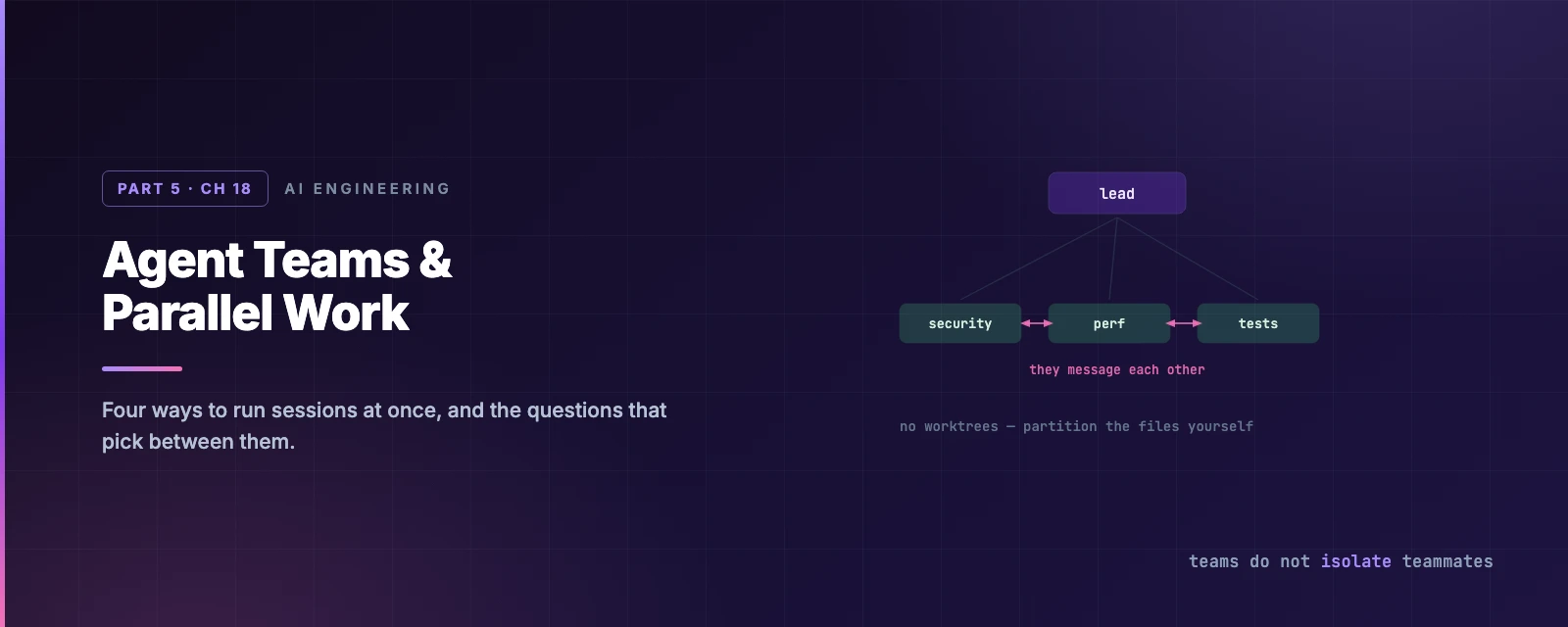
Teammates message each other directly rather than reporting up. That is the real difference from subagents: a subagent returns a result to whoever spawned it, while teammates can disagree with each other.
Enabling it changes ordinary delegation
This is the sharp edge, and it is not obvious:
Claude names subagents on its own so it can message them later. While agent teams are enabled, a named subagent launches as a teammate. Teams can form during delegation you never framed as team work.
If you wanted subagents, set the variable to 0. You do not need a new session — the value is re-read each time Claude spawns one.
Talking to them
Two display modes. In-process (the default) runs every teammate in your terminal: arrow keys to select in the agent panel, Enter to open a transcript and type to it directly, x to stop one. Split panes gives each its own pane and needs tmux or iTerm2 with the it2 CLI.
One mechanic worth knowing while viewing a teammate: plain text and skills go to that teammate, but built-in commands still run in the lead’s session. A teammate’s model is fixed at spawn, so /model there changes the lead’s.
Permissions
Teammates start with the lead’s permission settings, including --dangerously-skip-permissions if the lead has it. Their permission prompts surface in the lead’s session for you to answer.
The safeguard that matters is Chapter 14’s, generalised: when one agent messages another, Claude Code tells the recipient the message came from another Claude session, not from you. A teammate cannot approve a prompt on your behalf, and a teammate denied an action cannot relay it to another to get it through. In auto mode the classifier reviews every inter-agent message and treats a relayed approval claim as untrusted input.
Teams do not isolate teammates
Subagents can each get a worktree. Agent teams do not — every teammate works in the same checkout. So the guidance is manual and unavoidable: partition the work so each teammate owns a different set of files. Two teammates editing one file overwrite each other.
That single fact does more to decide whether a team fits your task than anything else on this page.
Limitations worth reading first
Experimental means experimental:
/resumeand/rewinddo not restore in-process teammates. The lead may try to message agents that no longer exist; tell it to spawn new ones.- Task status lags. Teammates sometimes fail to mark work complete, which blocks dependent tasks.
- One team per session, no nesting. Teammates cannot spawn teammates, and the lead is fixed for the session’s lifetime.
- Shutdown is slow — a teammate finishes its current tool call first.
Cross-session messaging
Between “one session” and “a team” sits the option most people miss: Claude can list and message your other Claude Code sessions — on this machine, another machine, or the web — so sessions you started yourself can pass findings to each other.
No lead, no shared task list, no experimental flag. If you already run three sessions in three worktrees, this connects them.
When it actually pays
Parallelism has a real cost: each teammate is a separate Claude instance, so tokens scale linearly with the team. And in-process teammates fall outside the main-conversation cache bucket, so they get the five-minute TTL even on a subscription unless you set subagentPromptCacheTtl.
It pays when the work is genuinely independent:
- Review from several angles — security, performance, test coverage, each with its own lens.
- Competing hypotheses. The strongest case on the list, because it fixes a failure mode rather than just going faster: one investigator finds a plausible explanation and stops. Several actively trying to disprove each other defeats that anchoring, and the theory that survives is more likely to be right.
- Separate modules, one owner each.
- Cross-layer work — frontend, backend, tests.
It does not pay for sequential work, same-file edits, or anything with many dependencies. Start with 3–5 teammates; three focused ones beat five scattered ones, and if you have fifteen independent tasks, three teammates is still the right starting point.
And start with research and review rather than parallel implementation — clear boundaries, no file conflicts, and you see whether the coordination overhead is worth it before you bet a refactor on it.
Summary
- Four approaches, chosen by who coordinates: Claude in one conversation (subagents), you (agent view), Claude as a lead (teams), or a script (workflows).
- Agent view puts each dispatched session in its own worktree automatically.
- Agent teams are experimental and off by default —
CLAUDE_CODE_EXPERIMENTAL_AGENT_TEAMS=1. - Enabling them makes named subagents launch as teammates, so teams form during delegation you did not ask for.
- Teammates message each other rather than reporting up, and inherit the lead’s permission mode.
- A message from another agent is never treated as your approval.
- Teams do not isolate teammates in worktrees — partition the files yourself.
/resumedoes not restore in-process teammates.- Tokens scale linearly with the team. Start at 3–5, with research and review.
- Full reference: running agents in parallel, agent teams, agent view, cross-session messaging.
Chapter 19 is the other kind of autonomy: work that runs when you are not there at all.