Claude Code Everywhere
Overview
This chapter covers:
- The one question that sorts every surface, and why it is not “which UI do I like”
- Five ways to work away from your terminal, separated by what triggers the work
- Remote Control versus the web — identical screen, opposite machines
- What configuration follows you between surfaces, and what does not
- The features that exist on exactly one surface
Same engine, different front doors
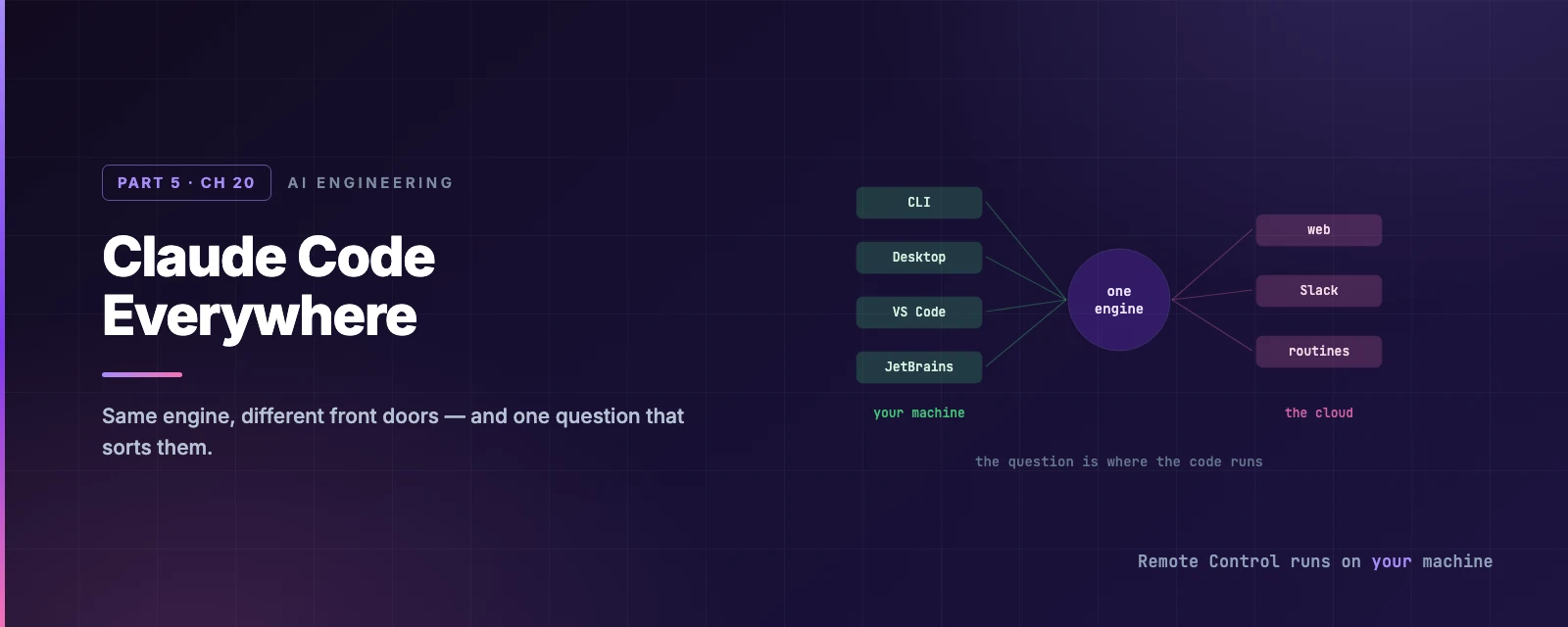
Chapter 1 said the loop and the tools are identical everywhere. That is still true, and it means choosing a surface is not a question of taste. It is a question of where the code executes, because everything else follows from that.
| Runs on | Gets you | |
|---|---|---|
| CLI | Your machine | The complete surface. Scripting and the Agent SDK are CLI-only |
| Desktop | Your machine | Diff viewer, app preview, parallel sessions, computer use, Dispatch |
| VS Code | Your machine | Inline diffs, integrated terminal, file context |
| JetBrains | Your machine | Diff viewer, selection sharing, terminal session |
| Web | The cloud | Tasks that keep running after you disconnect |
| Mobile | Either | A thin client into cloud sessions, or into a local one via Remote Control |
You can mix them on one project. Configuration, project memory and MCP servers are shared across the local surfaces — the CLAUDE.md, settings and .mcp.json of Chapters 5, 6 and 14 are the same files, so work done once applies to all of them.
Cloud sessions are the exception, and Chapter 5 gave the rule: a cloud session reads the committed .claude/settings.json and server-managed settings, and nothing else from your machine.
Where does it run, and where are you?
Working away from your terminal
There are five ways, and the useful axis is what starts the work:
| Triggered by | Claude runs on | |
|---|---|---|
| Dispatch | A message from the mobile app | Your machine, via Desktop |
| Remote Control | You, driving a running session | Your machine |
| Channels | An external event pushed in — CI, chat | Your machine |
| Slack | @Claude in a channel | Anthropic’s cloud |
| Self-hosted environments | A cloud session routed to your infrastructure | Your infrastructure |
Two of these come up constantly and are easy to confuse, because they show you the same screen.
Remote Control
claude remote-control in a project directory. You get a URL and a QR code, and then claude.ai/code or the phone app drives the session running on your machine.
Everything local stays local: your filesystem, your MCP servers, your project configuration. Typing @ on your phone autocompletes paths from your actual project. All connected devices stay in sync, so you can send from terminal, browser and phone interchangeably.
The security shape is worth stating plainly, because “my phone can drive my laptop” invites the wrong mental picture:
Your machine makes outbound HTTPS requests only and never opens an inbound port. It registers with the API and polls for work. Execution and filesystem access stay on your machine — but while connected, the transcript is stored on Anthropic’s servers so the conversation stays in sync and survives a network drop.
That trade is the reason organisations with Zero Data Retention cannot enable it, and why disableRemoteControl exists. On Team and Enterprise it is off until an Owner turns it on, and Trusted Devices can additionally require an enrolled device plus a sign-in under 18 hours old, refreshed by Face ID or a passkey.
Two practical limits. The local process must keep running — close the terminal and the session goes offline within seconds, so use tmux or screen over SSH. And some commands are local-only: /plugin and /resume need the terminal, while /model, /effort and /config work remotely if you pass the value as an argument — /model sonnet rather than the picker.
The web
Same interface, opposite machine. Claude Code on the web executes in the cloud, on a fresh clone.
The rule of thumb the docs give is the right one: Remote Control when you are mid-way through local work and want to continue it elsewhere; the web when you want to start something with no local setup, work on a repository you have not cloned, or run several tasks at once.
And the practical difference falls straight out of that: the web needs nothing from your machine, so it also cannot see anything on it.
Dispatch, Channels, Slack
Dispatch is the shortest path from a thought on your phone to work on your machine — message a task from the mobile app and Desktop picks it up.
Channels invert the direction (Chapter 19’s note): rather than polling for a CI result, your CI pushes the failure into the session.
Slack is the team-shaped one, and it runs in Anthropic’s cloud. Claude Tag is its organisational version, running @Claude as a shared identity with admin-configured access rather than one Slack session per person.
What only exists in one place
Worth knowing before you commit to a surface:
- Scripting and the Agent SDK are CLI-only (Chapter 16).
- Computer use and Dispatch are Desktop and CLI-on-macOS features, on Pro and Max.
- Remote Control needs a claude.ai login. An API key, Bedrock, Google Cloud, Foundry, or a custom
ANTHROPIC_BASE_URLall rule it out — the same authentication constraint Chapter 15 found for Chrome. - Third-party providers work in the CLI, VS Code and JetBrains. Desktop supports Google Cloud and gateway providers; for Bedrock or Foundry use the CLI or an IDE extension.
The pattern in that list: the CLI is the complete surface, and everything else trades some of it for something visual. Which is not an argument for the terminal — it is an argument for knowing which trade you are making.
Summary
- The engine is identical everywhere. The question is where the code executes, and everything else follows.
- Configuration, project memory and MCP servers are shared across local surfaces. A cloud session reads only the committed project settings and server-managed settings.
- Five ways to work away from the terminal, separated by what triggers the work — you, a message, an event, a mention, or a schedule.
- Remote Control runs on your machine; the web runs in the cloud. Same screen, opposite answer.
- Remote Control makes outbound requests only and opens no port, but stores the transcript on Anthropic’s servers while connected — which is why ZDR organisations cannot use it.
- The local process must stay alive for Remote Control; use
tmuxover SSH. /pluginand/resumeare terminal-only;/modeland/effortwork remotely with an argument.- Scripting and the SDK are CLI-only. Every other surface trades completeness for something visual.
- Full reference: platforms, Remote Control, Claude Code on the web.
That closes Part 5. Part 6 is running this for real: what it costs, how to watch it, and what to do when it goes wrong.