Settings: the Control Panel
Overview
This chapter covers:
- Four settings files, what each one reaches, and which of them your teammates get
- The precedence stack — and the three kinds of key that do not obey it
- Why environment variables are not a level, and are decided pair by pair
- Which edits reach a running session and which wait for a restart
- The checklist for “I set this and nothing happened”
Four files
| Scope | File | Reaches |
|---|---|---|
| User | ~/.claude/settings.json | You, every project on this machine |
| Shared project | .claude/settings.json | Everyone working in that folder — commit it |
| Project local | .claude/settings.local.json | You, that one project |
| Managed | managed-settings.json, MDM, or the claude.ai console | Everyone your organisation deploys it to |
Installing Claude Code creates none of them. The user file appears the first time you change something in /config; the local file appears the first time you answer “Yes, and don’t ask again” on a permission prompt.
Two properties of the local file are worth knowing before you go looking for it:
- Claude Code writes it, and keeps it out of git for you. The first time it writes the file in a repository that does not already ignore it, it adds
**/.claude/settings.local.jsonto your global git excludes. Create the file by hand and that never happens — gitignore it yourself. - In a repository, it lives at the root. Start a session in a subdirectory and Claude Code still reads and writes the root file, so an approval you give in
packages/apiapplies repository-wide. Before v2.1.211 it stayed in the starting directory.
There is a fifth file, ~/.claude.json, that Claude Code maintains for itself — sign-in, MCP servers, per-project trust decisions. You don’t edit it.
Settings files are strict JSON. A // comment or a trailing comma is a syntax error, and the file is reported as a Settings Error at the next start. Add "$schema": "https://json.schemastore.org/claude-code-settings.json" at the top for autocomplete and validation in your editor.
Precedence
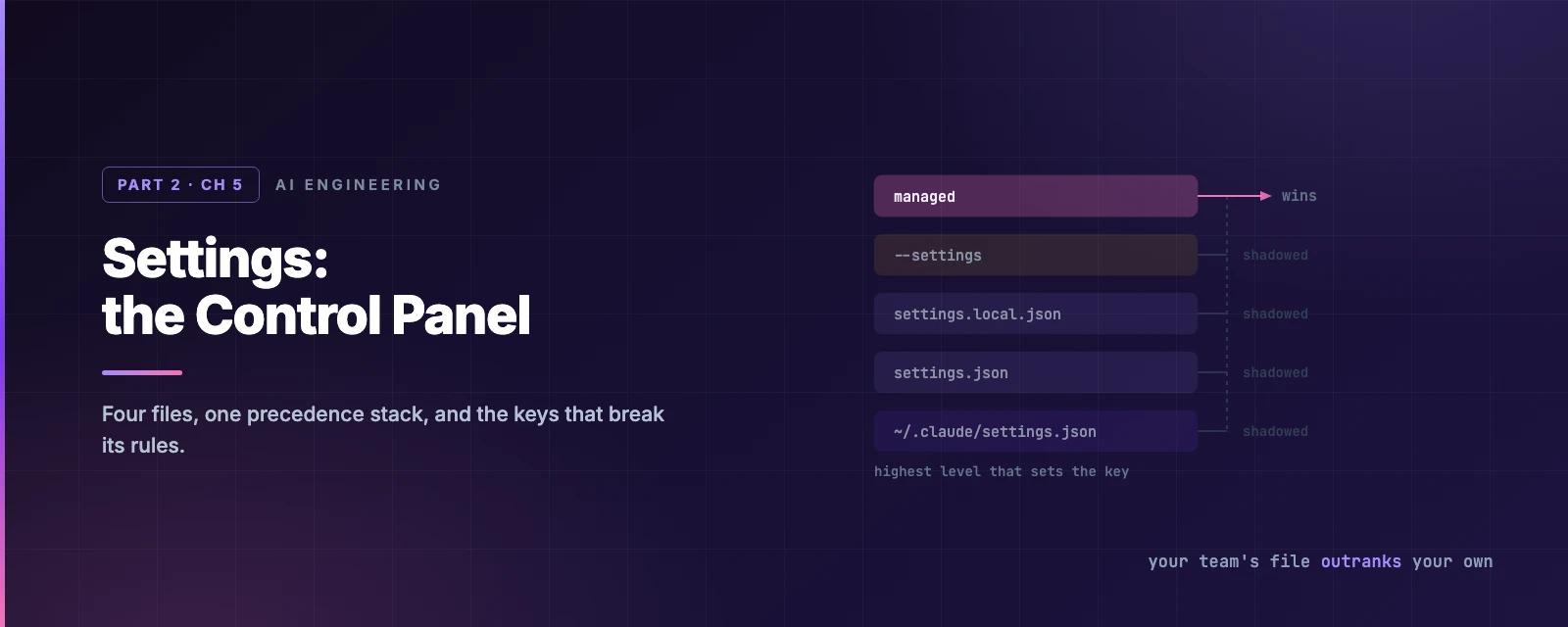
When the same key appears in more than one file, the highest level that sets it wins.
flowchart TB
    M["Managed settings — your organisation"] --> C["Command line — claude --settings"]
    C --> L["Project local — .claude/settings.local.json"]
    L --> P["Shared project — .claude/settings.json"]
    P --> U["User — ~/.claude/settings.json"]
Read it top-down: managed beats the command line, which beats project local, which beats shared project, which beats user. The two that catch people out are next to each other in that list — your team’s committed .claude/settings.json outranks your personal ~/.claude/settings.json, and the way to get your own value back is .claude/settings.local.json, not the user file.
Managed is absolute. --settings does not override a managed key, and --model picks only from the models your organisation allows.
Lists merge instead of overriding
permissions.allow set in three files does not resolve to one file’s list — the entries combine. This is what makes shared and personal permission rules coexist: your team’s file adds rules, yours adds more, and neither erases the other.
Model keys are the exception, because position carries meaning. fallbackModel is an ordered chain, so the highest file that defines it supplies the whole value. availableModels in managed settings replaces your entries rather than merging with them — that is the key an administrator uses to actually constrain model choice, not model.
Resolve a key
Environment variables are not a level
They sit outside the stack entirely, and each variable–key pair has its own rule:
ANTHROPIC_MODELexported in your shell applies over themodelkey from any file.ANTHROPIC_DEFAULT_MODELapplies only when no file setsmodel.
Same subject, opposite behaviour. There is no general rule to memorise here; check the variable’s row in the environment variables reference for the pair you are setting.
An env block inside a settings file is an ordinary key and follows the normal stack. It is also the right place for variables background agents need — a shell export does not reach them.
{
  "env": {
    "API_TIMEOUT_MS": "1200000",
    "HTTPS_PROXY": "http://proxy.corp.example.com:8080"
  }
}
Changing a setting
Three routes, for three different intentions:
| Intention | Route |
|---|---|
| Change a personal option | /config, or /config verbose=true for one key |
| Set anything, durably | Edit the file for the scope you want |
| Try a value without saving | claude --settings '{"model": "claude-opus-4-8"}' |
/config lists a short set of personal options — theme, editor mode, verbose — not every key. It is not a view of your settings.json.
Which edits reach a running session
Claude Code watches the settings files and reloads them, so most edits — permissions, hooks, credential helpers — apply without a restart. A few keys are read once at session start:
| Key | Change it with |
|---|---|
model | /model |
effortLevel, modelSettings | /effort |
outputStyle | /clear or a restart — it is part of the system prompt |
Managed settings delivered by MDM or the console arrive on a schedule rather than on save, so restart before concluding a policy has not shipped.
The debugger
Two commands, and they answer different questions:
/status— theSetting sourcesline lists every file loaded for this session. It confirms which files were read. It does not say which file supplied a given key.claude doctor— lists the entries Claude Code rejected: malformed permission rules, unknown hook events, values the schema refused.
A broken file is not silent, but it degrades in three different ways worth telling apart. Settings Error: invalid JSON or a rejected value, and an interactive session offers to fix it. Settings Warning: individual entries failed and were skipped; the rest of the file is live. Configuration error: ~/.claude.json cannot be parsed — Claude Code backs it up to ~/.claude/backups/ and offers a reset.
claude -p shows no dialog. It skips the broken file or values and continues, so a -p run that ignored your setting needs claude doctor to explain itself.
When a setting doesn’t apply
The checklist, in the order worth trying:
- A higher level sets it.
/statusfirst, then the stack above. - A variable or flag overrides it independently, decided per pair.
- The file cannot set that value.
permissions.defaultModevaluesautoandbypassPermissionsdo not take effect from.claude/settings.jsonor.claude/settings.local.json— both live in the repository, so honouring them would let a checked-in file escalate its own permissions. User or managed settings, or--permission-modefor one session. - A security key keeps its strict value. For a short list —
disableClaudeAiConnectors,isolatePeerMachines,enableArtifact,crossSessionInbound,useAutoModeDuringPlan,syncClaudeAiSkills— Claude Code honours the restrictive value from a lower scope, over managed. This is the one place the stack runs backwards, and it runs backwards on purpose. - The key waits for trust.
permissions.allow,additionalDirectories,extraKnownMarketplacesand mostenvvalues from a committed file apply only after each teammate trusts the folder.denyandaskrules apply immediately. - The file is broken.
claude doctor.
There is a related failure that looks like precedence and isn’t: a change you made inside Claude Code vanishes in new sessions. /model and /config write to ~/.claude/settings.json; if that file is read-only or generated by another tool, the change applies now and is gone next time. Set it in whatever generates the file.
Cloud sessions read a different set
A session on Claude Code on the web or claude --cloud runs on a fresh clone, not your machine:
| Source | Reaches a cloud session |
|---|---|
.claude/settings.json | Yes — it is in the clone |
~/.claude/settings.json | No |
.claude/settings.local.json | No |
| Managed | Server-managed only, not a local managed-settings.json or MDM profile |
If a setting must hold in a cloud session, it belongs in the committed project file.
Model configuration
The model is a setting like any other, with the usual four routes — /model, --model, the model key, ANTHROPIC_MODEL — plus aliases that track the current release rather than pinning a version:
| Alias | Resolves to |
|---|---|
default | Your account’s default — Opus 5 on Max and Enterprise, Sonnet 5 on Pro |
opus, sonnet, haiku | The latest of each |
fable, best | The latest Fable, for the hardest and longest tasks |
opusplan | Opus while planning, Sonnet while executing |
opus[1m], sonnet[1m] | The same model with a 1M-token context window |
Effort is the separate dial — how much the model reasons per step — set with /effort or --effort, from low through high (the default) to xhigh, max and ultracode. max applies to the current session only unless you set it through the environment. Per-model defaults live in modelSettings:
{
  "modelSettings": {
    "claude-opus-5":   { "effortLevel": "xhigh" },
    "claude-sonnet-5": { "effortLevel": "medium" }
  }
}
One behaviour that reads as a bug and isn’t: claude --resume keeps the model saved in the transcript, ignoring your current default. Details and the rest of the model surface are in the model configuration docs.
Summary
- Four files. Precedence, highest first: managed → command line → project local → shared project → user.
- Your team’s committed file outranks your user file.
.claude/settings.local.jsonis how you get your own value back. - Lists like
permissions.allowmerge across files rather than overriding.fallbackModeland a managedavailableModelsdo not. - Environment variables are not a level; each variable–key pair has its own rule.
ANTHROPIC_MODELbeats any file,ANTHROPIC_DEFAULT_MODELyields to one. - Most edits reload into a running session;
model,effortLevelandoutputStyledo not. /statussays which files loaded,claude doctorsays what was rejected. Neither says which file supplied a key.- A short list of security keys honours the stricter value from a lower scope, over managed.
- Cloud sessions read the committed project file and server-managed settings — nothing else from your machine.
- Full reference: settings, every key, example files.
Chapter 6 is CLAUDE.md — the file that tells Claude how your project works, where it can live, and what never belongs in it.