Skills
Overview
This chapter covers:
- Progressive disclosure — the three tiers, and the ~1% of your context window skills cost when idle
- The two frontmatter booleans that decide who can invoke a skill, and the combination that means nobody can
- Why
allowed-toolsis a single-turn grant rather than a permission rule - What
context: forkbuys, and the checkpoint guarantee it quietly takes away - Shell commands that run before Claude sees the skill, and the exit code that aborts the whole invocation
Instructions you need sometimes
Part 2 was about context that is always loaded. CLAUDE.md is in every session; an unscoped rule is in every session. That works for facts, and fails for procedures — the release checklist you run twice a month should not cost tokens in the 40 sessions where you don’t.
A skill is a SKILL.md file whose content loads only when it is invoked. That single property is the design.
Progressive disclosure
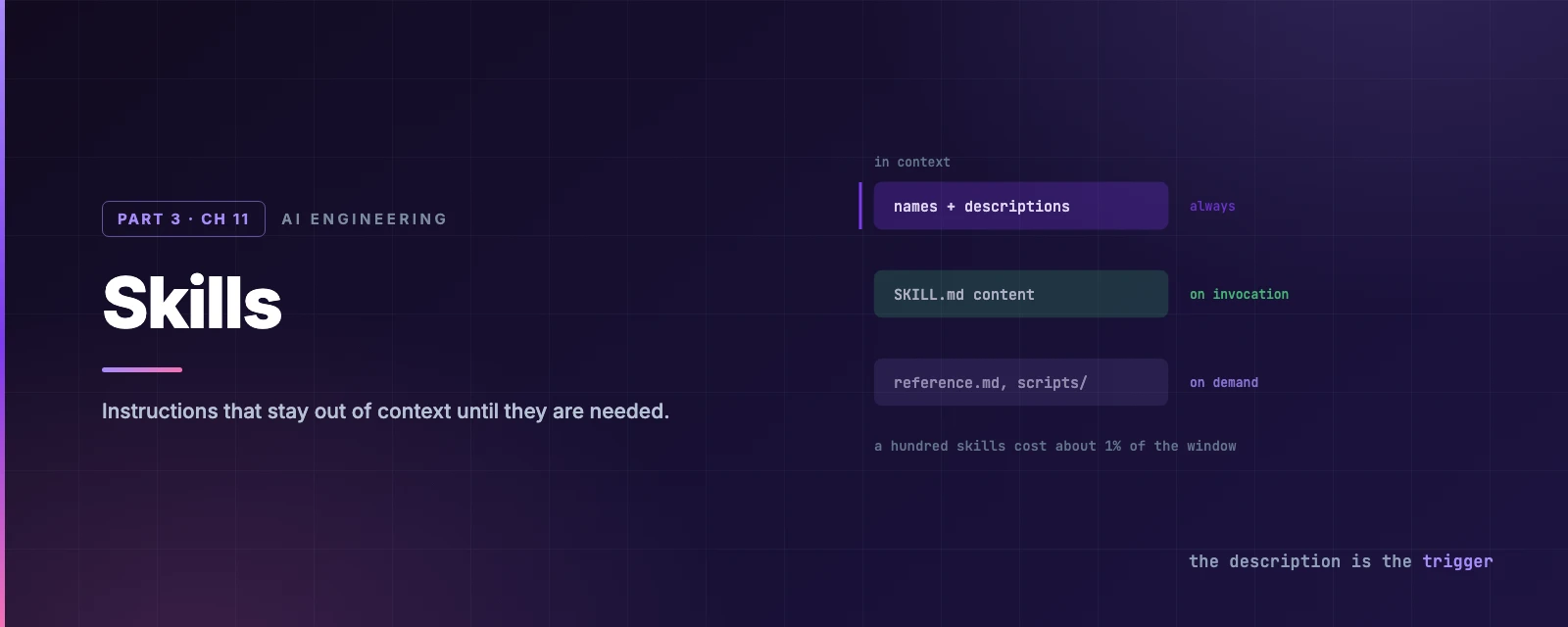
Three tiers, and knowing which is which explains every cost question about skills:
| Tier | What | When |
|---|---|---|
| Listing | Every skill’s name and description | Always in context |
| Content | The whole rendered SKILL.md | On invocation |
| Bundled files | reference.md, examples.md, scripts | When Claude opens them |
The listing is budgeted at roughly 1% of the context window, with descriptions capped at 1,536 characters combined. So a hundred skills do not flood your window — but they do compete for that budget, which is why a vague description costs you twice: it wastes budget and fails to trigger.
Once invoked, content persists across turns — it is not re-read from the file. Invoking the same skill again with identical rendered content appends a short note rather than duplicating it. And from Chapter 8: compaction keeps the first 5,000 tokens of each recently invoked skill, within a 25,000-token shared budget, oldest dropped first. That is why the important instructions go at the top of the file.
Anatomy
.claude/skills/cut-a-release/
├── SKILL.md          # REQUIRED — frontmatter + instructions, under 500 lines
├── references/       # docs and API guides, loaded into context when needed
│   └── changelog-format.md
├── scripts/          # executed, never loaded as text
│   └── bump.sh
└── assets/           # templates, images, fonts used in the output
    └── release-notes.tmpl
The three optional directories are not decoration — they map onto how an expert actually works. SKILL.md is the approach; references/ is the specialised knowledge you look up rather than memorise; scripts/ are the tools; assets/ are the raw materials. Splitting them that way is what makes progressive disclosure work: only the first is ever loaded by default, and a script is run rather than read, so a 400-line Python helper costs no context at all.
Skills live at five scopes — enterprise, ~/.claude/skills/, .claude/skills/, a nested .claude/skills/ in a subdirectory, and inside a plugin. Within one level, the first match wins in the order enterprise → personal → project. A nested skill that clashes with a project one stays available under a qualified name, /apps/web:deploy.
SKILL.md edits are picked up mid-session, no restart. A brand-new top-level skills directory is not watched until you restart.
Who can invoke it
Two booleans decide this, and they are not opposites:
disable-model-invocation: true is the one you reach for on anything with a side effect — deploy, send-message, commit. It does more than block the Skill tool: the description leaves Claude’s context entirely, it stops being preloaded to subagents, and since v2.1.196 a scheduled task cannot fire it either.
The fields worth knowing
There are eighteen. These are the ones that change behaviour rather than labels:
| Field | Effect |
|---|---|
description | The trigger. Claude decides from this whether the skill is relevant |
when_to_use | Appended to the description; extra trigger context |
allowed-tools | Pre-approve tools, for this turn only |
paths | Load only when working with matching files |
context: fork | Run in an isolated subagent |
model, effort | Override for the invocation turn |
arguments, argument-hint | Named $arg substitution and autocomplete |
The full reference has the rest. Three deserve their own explanation.
allowed-tools is a grant, not a rule
allowed-tools: Read Grep Bash(git add *) Bash(git commit *)
Every listed tool runs without a prompt for the invocation turn only. The grant clears when you send your next message.
Two things follow. It does not restrict anything — unlisted tools stay callable, subject to your normal permission rules from Chapter 4; it only removes friction for the ones named. And it is not gated by workspace trust, so a project skill’s allowed-tools applies even in an untrusted -p run.
context: fork runs it as a subagent
context: fork
agent: Explore
background: false
The SKILL.md content becomes a subagent’s task. The subagent has no access to your conversation history, and only its result comes back — which is Chapter 8’s advice about large reads, packaged as a file.
agent picks the type: Explore (read-only, skips CLAUDE.md), Plan, or general-purpose (full tools, loads CLAUDE.md).
Background forks lose checkpoint coverage. A forked skill runs backgrounded by default (v2.1.218+), and its edits land outside your session’s checkpoints — exactly the Chapter 9 category
/rewindcannot undo. It also gets a narrower tool set. Setbackground: falsewhen the skill edits code you might want to roll back.
Some situations force the foreground regardless: -p runs, CLAUDE_CODE_DISABLE_BACKGROUND_TASKS=1, the same skill invoked while a previous run is still going, and scheduled tasks.
Dynamic context injection
Shell commands in the file run before Claude sees it, and their output replaces the placeholder:
## Current changes
!`git diff HEAD --stat`

## Environment
```!
node --version
git status --short
```
They run once, at invocation, in the session shell’s current directory, with a two-minute timeout. ${CLAUDE_SKILL_DIR}, ${CLAUDE_PROJECT_DIR} and ${CLAUDE_SESSION_ID} are available.
A non-zero exit aborts the whole invocation. There is one carve-out — exit 1 from search-and-compare commands (grep, git diff, find, diff under bash) is treated as a normal result, because “no matches” is not an error. Anything else stops the skill. The fix is cmd || true.
These commands never prompt for permission; a failed permission check aborts the invocation instead. Organisations can switch the whole mechanism off with disableSkillShellExecution.
Four mechanisms, one table
Part 2 and Part 3 have now introduced four ways to give Claude standing instruction, and they are easy to confuse because three of them are Markdown files. The distinction is when each loads and who pulls the trigger:
CLAUDE.md | Rules | Skills | |
|---|---|---|---|
| Purpose | General project context | File-scoped guidelines | Task-specific workflows |
| Answers | How should Claude behave? | How should Claude behave here? | How should Claude do this? |
| Loaded | Always | Always, or when a path matches | When invoked, or when the description matches |
| Triggered by | Nothing — it is just there | Nothing — the file match | You, or Claude |
| Shape | One file | Files in a directory | A directory with supporting files |
| Context cost | Always | Always, or on demand | Only when used |
The one-line version: CLAUDE.md and rules are passive — Claude reads them while doing something else. A skill is active — it is the something else. If your instruction has steps, it is a skill.
Chapter 12 adds the fourth, which is not a Markdown file at all and does not depend on Claude reading anything.
Skills absorbed custom commands
.claude/commands/deploy.md and .claude/skills/deploy/SKILL.md both produce /deploy and behave identically in their basic form. Commands still work, and where both exist with the same name, the skill wins.
Migrating is a rename plus, if the file had no frontmatter, adding one:
---
description: Brief description of what this does
---
What you gain is everything above: bundled files, paths, context: fork, hooks, the invocation controls.
Controlling what Claude sees
Two mechanisms, for two different problems.
skillOverrides in .claude/settings.local.json adjusts visibility without editing anyone’s SKILL.md — useful for a shared repository where you want a skill out of your way:
{
  "skillOverrides": {
    "deploy": "off",
    "legacy-context": "name-only",
    "commit": "user-invocable-only"
  }
}
name-only keeps it in the / menu but takes the description out of Claude’s context, which is the setting for a skill that is eating listing budget without earning it. /skills cycles these interactively with Space.
Permission rules are the enforcement version, and use Chapter 4’s syntax:
{ "permissions": { "deny": ["Skill(deploy *)"] } }
Summary
- Three tiers: listings always in context (~1% budget), content on invocation, bundled files on demand.
- The layout mirrors how an expert works:
SKILL.mdthe approach,references/the lookups,scripts/the tools,assets/the raw materials. A script is run, not read, so it costs no context. CLAUDE.mdand rules are passive; a skill is active. If the instruction has steps, it is a skill.- A vague
descriptioncosts twice — it wastes listing budget and fails to trigger. - Invoked content persists across turns, and compaction keeps only the first 5,000 tokens of each. Important instructions go at the top.
disable-model-invocation: true→ users only, and the description leaves Claude’s context.user-invocable: false→ Claude only. Both true and nobody can invoke it.allowed-toolsis a single-turn grant that clears on your next message, and it grants without restricting.- A background forked skill’s edits are outside your checkpoints —
background: falseif you want/rewindto cover them. - Injected shell commands abort the invocation on a non-zero exit, except
1fromgrep,git diff,findanddiff. Use|| true. - Skills supersede
.claude/commands/; where names clash the skill wins. - Full reference: skills.
Chapter 12 is Hooks — the mechanism for the instructions that must hold every time, which this chapter and Chapter 6 have both been deferring to.