GitHub, GitLab & CI
Overview
This chapter covers:
- Three levels of integration, and why most people only need the first
- The single input that decides whether a workflow waits for
@claudeor just runs - Two checks on who triggered a run, and why the bot check exists
--bare, and the thing a-prun does in an untrusted repository without it- What happens to a permission prompt when there is nobody to answer it
Three levels
| Level | What it is | You need |
|---|---|---|
| 1. Local git | Claude runs git and gh in your session | Nothing — it already can |
| 2. GitHub Action | @claude in a comment, or a workflow that runs on any event | The Claude GitHub App and a secret |
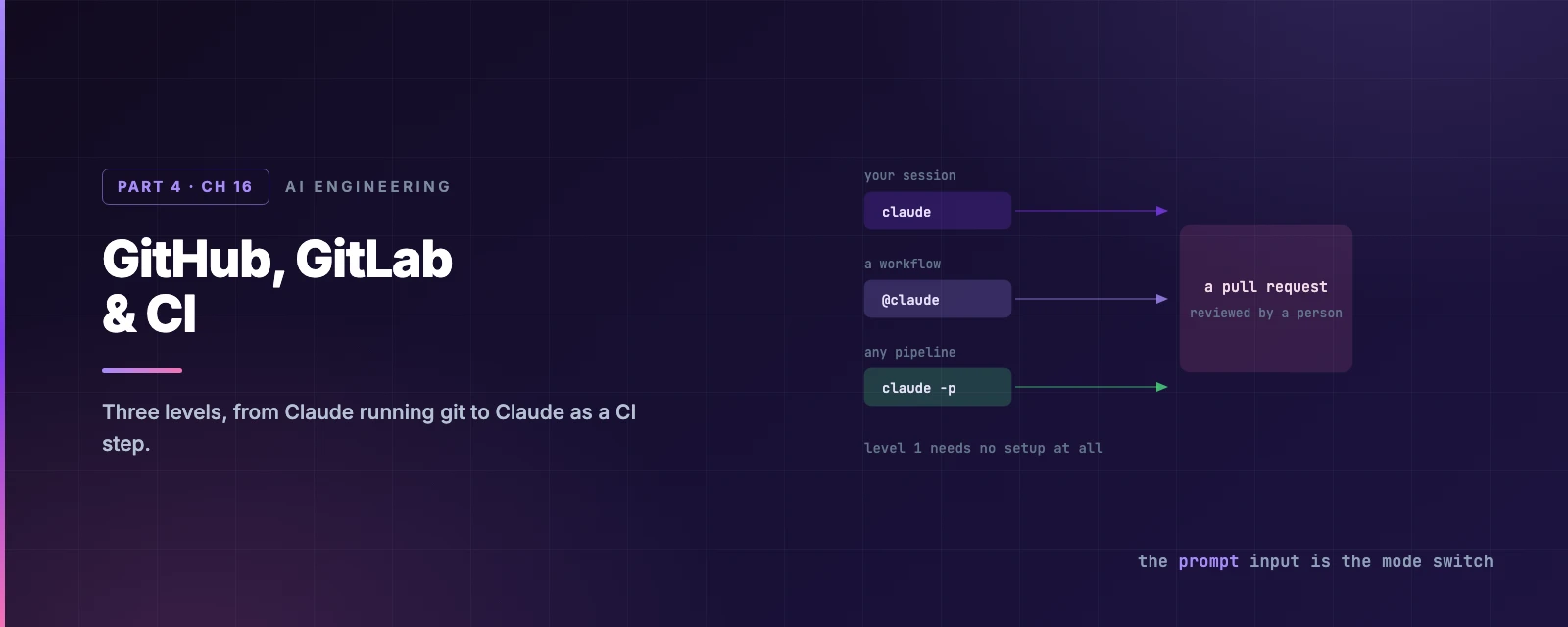
| 3. Headless anywhere | claude -p as a step in any pipeline | An API key or token |
Most of the value is at level 1, and it is worth saying so before the YAML starts. “create a pr” works today, with no setup, because gh is a command Claude can run.
Level 1: it already knows git
From Chapter 15’s recipes, the shape that works is summarise-then-generate:
summarize the changes I've made to the authentication module
create a pr
enhance the PR description with more context about the security improvements
The first step is not politeness — it is your chance to catch a wrong mental model before it becomes the PR description.
What “create a pr” actually does
It is not one gh call. Four steps run, and knowing them tells you where to intervene:
- Gather context —
git status,git diff,git log, andgit diff main...HEAD, to establish what actually changed rather than what you said changed. - Prepare the branch — check you are not on the default branch, that the work is committed, and that the branch exists on the remote. Anything missing gets handled.
- Analyse the commits — read everything since the branch point and decide what kind of change this is, then draft a summary about why, not just what.
- Open it —
gh pr create, with a title, description and test plan.
Step 3 is the one worth your attention, and it is why Chapter 15’s recipe summarises before generating. A PR description written from the diff alone describes the change; one written after you have corrected Claude’s understanding describes the intent.
One thing worth knowing for later: Claude Code links the session to the PR when Claude creates it with gh pr create or glab mr create. claude --from-pr 1234 reopens the picker filtered to sessions for that PR, and pasting a PR URL into /resume search finds it too.
Or skip the prose entirely
The commit-commands plugin — install it from /plugin — collapses the routine parts into single commands:
| Command | Does |
|---|---|
/commit | Reviews the changes, stages, and writes the message |
/commit-push-pr | All of that, plus a feature branch and an opened PR |
/clean_gone | Deletes local branches whose remote is already gone |
Chapter 13’s argument in miniature: the plugin adds no capability Claude lacked, it removes the typing.
Level 2: GitHub Actions
/install-github-app does the whole setup — installs the app, stores the secret, pushes a branch with the workflow files, and opens the PR for you. It needs admin access on the repository and the gh CLI authenticated.
The secret is one of two, and the choice matters for teams:
| Secret | From | Note |
|---|---|---|
ANTHROPIC_API_KEY | The Claude Console | Use this for an organisation |
CLAUDE_CODE_OAUTH_TOKEN | claude setup-token locally | Tied to one person’s subscription |
An OAuth token shared across repositories bills one person’s plan and dies with their account. For anything shared, the API key is the right answer — or workload identity federation, which exchanges the workflow’s OIDC token and stores no long-lived secret at all.
One input decides the mode
This is the thing to understand about the action, and it is not signposted:
Provide a
promptinput and the workflow runs automatically. Omit it and the workflow waits for@claude. There is no mode switch — the presence ofpromptis the switch.
Interactive mode posts progress and results as a comment on the triggering issue or PR. Automation mode writes to the workflow run log by default, and posts only if the prompt tells it to and it has a tool that can post.
That second clause has a sharp edge, and the docs call it out explicitly for the review workflow: the action starts the MCP server that posts inline comments only when --allowedTools in claude_args names it — even though the skill’s own allowed-tools frontmatter already does. Two mechanisms, both required.
Who can trigger a run
Two checks run before Claude starts, and either one failing fails the run:
- Write access. On issue and PR events, the triggering user must have write access.
allowed_non_write_usersopens that up, but only if you also pass your owngithub_token. - Human actor. Bot actors are rejected unless listed in
allowed_bots— which is what stops Claude triggering Claude in a loop. It applies to scheduled runs too, because GitHub attributes acronrun to whoever last edited the schedule. If that was a bot, the run fails until you list it.
What you are installing
The Claude GitHub App is shared by every Claude GitHub feature, so its permission set is wider than this action uses — twelve permissions including Actions, Checks, Discussions and Workflows, all read-and-write. GitHub does not let you accept a subset.
If your organisation needs the minimum, the documented path is a custom GitHub App with just Contents, Issues and Pull requests. The trade is that a custom app covers only this action; Code Review and web auto-fix still require the official one.
One troubleshooting item that looks like a bug: CI does not run on Claude’s commits if you pass github_token: ${{ secrets.GITHUB_TOKEN }}, because GitHub never triggers workflows on commits made with the default token. Remove the line so the action authenticates as the App.
Level 3: headless anywhere
claude -p is a Unix filter, and that is the whole integration story for GitLab, Jenkins, or a git hook:
git diff main | claude -p "you are a typo linter. report filename:line and the issue."
Exit code 0 on success, non-zero on failure, so a script can branch on it. Stdin is capped at 10 MB — write to a file and reference the path for anything larger.
--bare is the CI flag
Without it, a -p run loads everything an interactive session would: hooks, skills, plugins, MCP servers, auto memory, CLAUDE.md. In CI that means a teammate’s ~/.claude config changes your build.
Worse, and worth quoting plainly:
Without
--bare, a-psession runs the hooks in a project’s.claude/settings.jsonand connects the servers in its.mcp.json, even in a folder you have never trusted. A-psession shows no workspace trust dialog and no per-server approval prompt.
That is Chapter 4 and Chapter 14’s asymmetry in one sentence, and it is the reason --bare is the recommended mode for scripted calls — and is slated to become the -p default. Note that bare mode never reads OAuth credentials or the keychain, so set ANTHROPIC_API_KEY.
Permissions with nobody to ask
A -p run starts in Manual mode on every plan, so it prompts for everything and there is nobody to answer. Three ways to fix that, in increasing order of trust:
| Approach | Effect |
|---|---|
--allowedTools "Bash(npm test),Read" | Name exactly what may run |
--permission-mode dontAsk | Deny anything not pre-approved — the locked-down CI mode |
--permission-mode auto | The classifier reviews actions instead of you |
And since v2.1.259, --permission-prompts none says explicitly that nobody can answer: anything that would prompt is denied, Claude is told not to retry it, and interactive tools like AskUserQuestion are removed rather than left to hang. With --output-format stream-json, the denials come back in permission_denials.
Structured output for a gate
--output-format json gives you result, session_id and total_cost_usd. --json-schema constrains the shape, landing in structured_output:
claude -p "Extract the main function names from auth.py" \
  --output-format json \
  --json-schema '{"type":"object","properties":{"functions":{"type":"array","items":{"type":"string"}}},"required":["functions"]}' \
  | jq '.structured_output'
For a CI gate, the system/init event carries plugin_errors and mcp_server_errors, both omitted entirely when empty — so failing on a non-empty array catches a plugin or server that silently did not load.
Build the config
Costs
Two meters run at once, and only one is obvious:
- GitHub Actions minutes, on GitHub-hosted runners.
- Tokens — API billing, or your subscription if you authenticated with an OAuth token.
The levers: --max-turns in claude_args, workflow-level timeouts, GitHub concurrency controls, and a concise CLAUDE.md — Claude reads it on every run, which is Chapter 6’s size argument with a per-run multiplier attached.
Summary
- Three levels, and level 1 needs no setup —
ghis just a command Claude can run. - “Create a pr” is four steps: gather context, prepare the branch, analyse the commits, open it. Summarise first so the description carries intent rather than a restated diff.
- The
commit-commandsplugin collapses the routine parts into/commitand/commit-push-pr. /install-github-appdoes the whole GitHub setup. For an organisation, use an API key, not an OAuth token tied to one person.- The presence of a
promptinput is the mode switch: with it, the workflow runs; without it, it waits for@claude. - Two trigger checks: write access, and a bot check that stops Claude triggering itself. Scheduled runs are attributed to whoever last edited the cron.
- The GitHub App’s permission set is all-or-nothing; a custom app with three permissions is the documented minimum.
- Passing
github_token: ${{ secrets.GITHUB_TOKEN }}stops CI running on Claude’s commits. --bareis the CI flag. Without it, a-prun executes a repository’s hooks and MCP servers in a folder you never trusted, with no dialog.- A
-prun starts in Manual on every plan;--permission-prompts nonedenies rather than hangs. - Full reference: GitHub Actions, GitLab CI/CD, non-interactive mode.
That closes Part 4. Part 5 turns to autonomy: subagents, agent teams working in parallel, scheduling, and every surface Claude Code runs on.