Output Styles
Overview
This chapter covers:
- The one thing output styles change that no other mechanism touches — the system prompt itself
- The five built-in styles, including two added recently that most material misses
- Why
keep-coding-instructionsis the field that actually matters, and what happens when you omit it - Where a style file lives, and which of the five scopes wins
- The comparison that stops you reaching for the wrong mechanism
They change how Claude responds, not what it knows
Every mechanism so far has added context. CLAUDE.md arrives as a user message after the system prompt. Rules arrive when a file matches. Skills arrive when invoked.
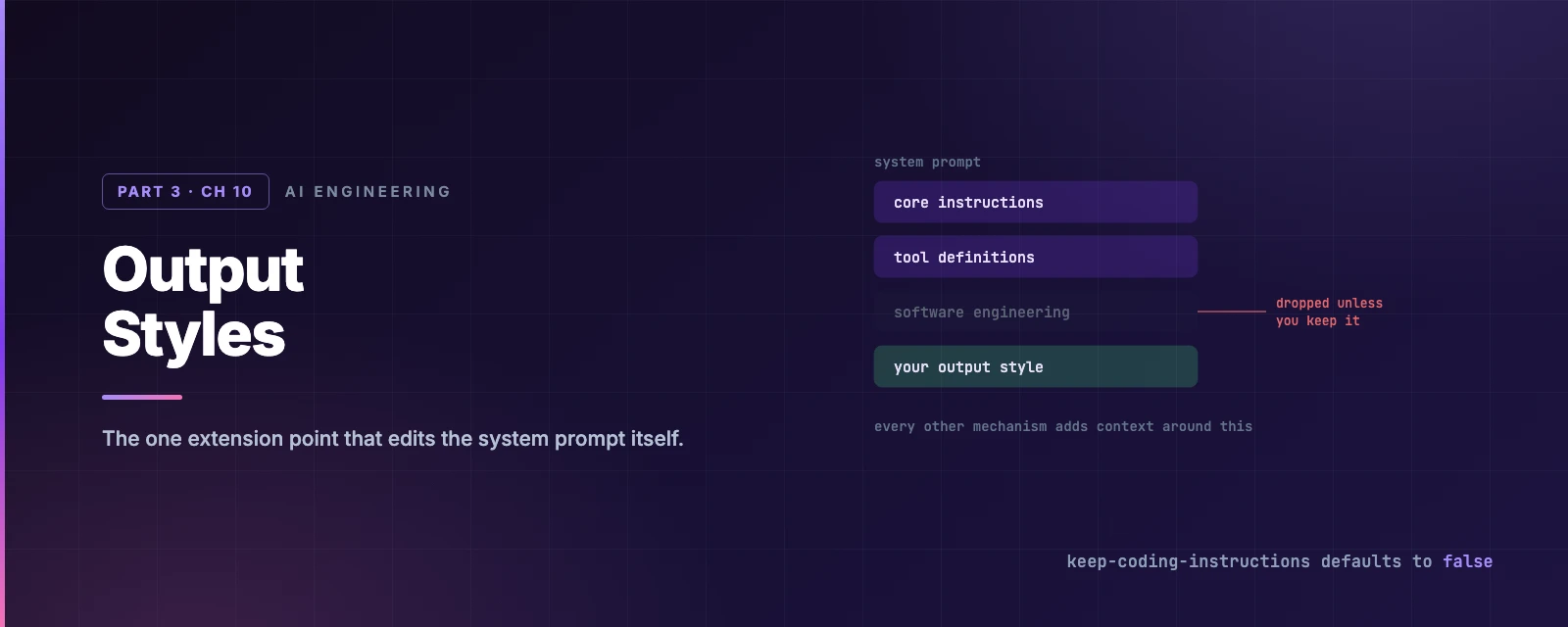
An output style modifies the system prompt. That is the whole distinction, and everything else follows from it.
Reach for one when you keep re-prompting for the same voice or format every turn, or when you want Claude to act as something other than a software engineer. For facts about your project, CLAUDE.md is still the answer.
The five built-ins
| Style | Behaviour |
|---|---|
| Default | The standard software-engineering system prompt |
| Proactive | Executes immediately, makes reasonable assumptions instead of pausing on routine decisions, prefers action over planning |
| Concise | Leads with the result, skips preamble and narration, keeps responses short — while doing the same engineering work |
| Explanatory | Adds educational “Insights” about implementation choices and codebase patterns |
| Learning | Asks you to write strategic pieces, leaving TODO(human) markers in the code |
Two are worth a sentence each.
Proactive is not auto mode. It is stronger autonomous-execution guidance than auto mode applies, and it works without changing your permission mode — so what actually runs without asking you is still Chapter 3’s business. Use it when you want Claude to stop asking clarifying questions in a mode that still prompts.
Concise (v2.1.237+) keeps the important things long. It shortens by default but preserves the full content of error reports, security warnings, and confirmations for destructive actions. And asking for detail still gets you detail.
The standalone
/output-stylecommand was deprecated in v2.1.73 and removed in v2.1.91. Older material still recommends it. Use/config→ Output style, or set theoutputStylekey.
/config writes your choice to .claude/settings.local.json — project-local, not user-level, which surprises people expecting a personal preference to follow them between repositories.
Writing your own
A custom style is a Markdown file: frontmatter, then the instructions to add to the system prompt.
| Field | Purpose | Default |
|---|---|---|
name | The style’s name | The file name |
description | Shown in the /config picker | None |
keep-coding-instructions | Keep the built-in software-engineering instructions | false |
force-for-plugin | Plugin styles only: apply automatically while the plugin is enabled | false |
The field that matters
keep-coding-instructions defaults to false, and that default is the single most consequential thing on this page.
Leave it out and your style replaces Claude Code’s built-in engineering instructions — how to scope a change, when to write comments, how to verify work. That is correct for a writing assistant or a data analyst. It is quietly wrong for “answer with a diagram first”, where you wanted a formatting change and instead removed the instructions that make Claude a competent engineer.
The test: is Claude still doing software engineering? Then set it to true.
Build one
Where the file goes
| Scope | Path |
|---|---|
| User | ~/.claude/output-styles/ |
| Project | .claude/output-styles/ |
| Managed policy | .claude/output-styles/ inside the managed settings directory |
Project styles load from every .claude/output-styles/ between your working directory and the repository root. Two of them defining the same name is resolved by proximity: the one closest to your working directory wins. Plugins can ship styles too, in an output-styles/ directory.
When it takes effect
Output style is part of the system prompt, and Chapter 8 established what that means: Claude Code reads it once at session start. Changing it mid-session does nothing until /clear or a restart — and, for the same reason, the change is cache-safe.
Two more scope limits worth knowing:
- Subagents ignore your output style. A subagent runs its own system prompt. The exception is a fork, which inherits the parent’s system prompt wholesale.
- Token cost cuts both ways. The added instructions raise input tokens, largely absorbed by the cache after the first request. Output tokens are the real variable: Explanatory and Learning produce longer responses by design, Concise shorter ones.
Which mechanism, again
Five things now customise Claude’s behaviour, and the failure mode is reaching for the wrong one. Chapter 6’s router asked where an instruction belongs; this is the layer above it:
| Mechanism | How it works | Use when |
|---|---|---|
| Output style | Modifies the system prompt | You want a different role, tone or default format every turn |
CLAUDE.md | A user message after the system prompt | Claude should know your conventions and codebase |
--append-system-prompt | Appends to the system prompt, removing nothing | A one-off addition for a single invocation |
| Subagents | A separate system prompt, model and tools | A separately scoped helper for a focused task |
| Skills | Task instructions loaded on invocation | A reusable workflow |
The row that most often gets mistaken for an output style is --append-system-prompt: it reaches the same place, but adds without removing, and must be passed every invocation. That makes it right for scripts and wrong for daily use — where a style file you select once is the same idea, persisted.
Summary
- An output style modifies the system prompt. Every other mechanism adds context around it.
- Five built-ins: Default, Proactive, Concise (v2.1.237+), Explanatory, Learning.
- Proactive is stronger than auto mode’s nudge and does not change your permission mode.
keep-coding-instructionsdefaults tofalse, so a custom style silently drops the built-in engineering instructions unless you set it. Set it whenever Claude is still writing code./output-stylewas removed in v2.1.91 — use/configor theoutputStylekey, which/configwrites to.claude/settings.local.json.- Project styles resolve by proximity to the working directory, not by depth in the tree.
- The style is read once at session start; changes need
/clear. Subagents do not inherit it, forks do. - Full reference: output styles.
Chapter 11 is Skills — the extension point that carries the most weight in practice, and the one built entirely around not being in context until it is needed.