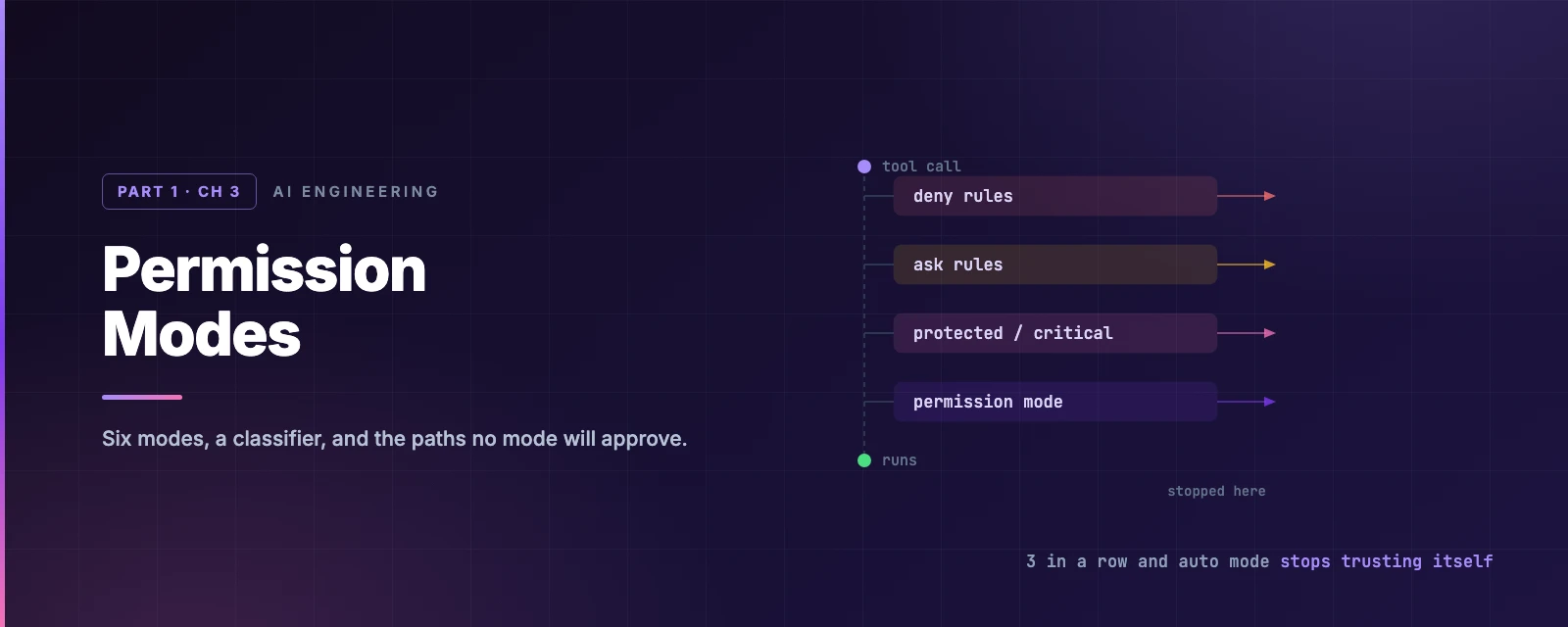
Permission Modes
Overview
This chapter covers:
- The order permissions are evaluated in, and why
denyandaskrules outrank everything downstream - What each of the six modes actually approves — including which one your plan starts you in, which is probably not the one you assume
- How auto mode’s classifier decides, what it blocks by default, and how to teach it about your own infrastructure
- The circuit breaker that pauses auto mode and hands you back the prompts
- The protected and critical paths that no mode waves through,
bypassPermissionsincluded
Where the mode sits
Chapter 1 established the asymmetry: reading is free, changing costs a question. A permission mode decides where that line falls for a session.
The mode is one gate among several, and the order matters more than any individual mode.
flowchart TB
    A([Tool call]) --> D{deny rule?}
    D -->|match| X([Blocked])
    D -->|no| K{ask rule?}
    K -->|match| P([Prompt])
    K -->|no| S{protected or
critical path?}
    S -->|yes| M2[Mode-specific
handling]
    S -->|no| M{Permission mode}
    M -->|default / acceptEdits| P
    M -->|dontAsk| X
    M -->|bypassPermissions| R([Runs])
    M -->|auto| C{Classifier}
    C -->|approves| R
    C -->|blocks| X
Two consequences carry the rest of the chapter:
denyrules block before anything downstream runs — not the classifier, not your stated intent, notbypassPermissionscan override them.- An
askrule forces a prompt even in auto mode, because asking to be asked is itself an instruction.
Chapter 4 covers writing those rules. This chapter is the mode layer above them.
The six modes
| Mode | Runs without asking | Use for |
|---|---|---|
default (Manual) | Reads only | Reviewing every action, sensitive work |
acceptEdits | Reads, file edits, common filesystem commands | Iterating on code you review afterwards |
plan | Reads, plus classifier-approved commands | Exploring before changing |
auto | Everything, subject to background classifier review | Long tasks, fewer prompts |
dontAsk | Only pre-approved tools | Locked-down CI and scripts |
bypassPermissions | Everything | Isolated containers and VMs only |
The mode whose config value is default is labelled Manual everywhere in the UI. manual works as an alias wherever you type the value; hooks and the SDK use default.
Try it
Ten actions against all six modes. The outcome for a given pair is rarely guessable from the mode name, which is the point.
Where a session starts
Resolution order: --permission-mode → permissions.defaultMode in settings → the built-in default.
The built-in default is probably not Manual. On a Pro, Max or Team plan, in a terminal or VS Code, you start in auto. Everywhere else — Enterprise, a Console API key, claude -p, the Agent SDK, Bedrock, Google Cloud, Microsoft Foundry — you start in Manual.
There is one trap worth knowing: "auto" and "bypassPermissions" are ignored in .claude/settings.json and .claude/settings.local.json. Both files live in the repository, so allowing them there would let a checked-in file escalate its own permissions. Set them in ~/.claude/settings.json instead. If defaultMode: "auto" seems to do nothing, that is why.
Switching
Shift+Tab cycles, and the cycle is not what most material claims:
- From
auto, the first press goes todefault. - The cycle is then
default → acceptEdits → plan → default. - Optional modes slot in after
plan—bypassPermissionsfirst,autolast.
bypassPermissions only appears if the session started with it enabled. dontAsk never appears — it must be set with --permission-mode dontAsk. The status bar always names the active mode, and asking Claude in chat to change it does nothing: it is a client-side control.
default — Manual
Reads run, everything else prompts. Nothing to configure.
acceptEdits
File creation and edits inside the working directory run without asking, plus a fixed set of filesystem commands:
mkdir touch rm rmdir mv cp sed
That set is the whole feature. Everything else — npm test, git push, any other Bash command — still prompts, as do paths outside the working directory and writes to protected paths.
plan
Claude reads, explores and writes a plan without editing source. Edits stay blocked until you approve it.
Shell commands do run in plan mode. This is worth stating plainly, because plan mode is widely described as forbidding them. When auto mode is available — it is, by default — the classifier reviews planning commands instead of prompting you. Without auto mode, anything outside the read-only set prompts.
Enter with Shift+Tab, or /plan for a single prompt, or claude --permission-mode plan.
The workflow it is built for is three steps, and the middle one is the point:
- State the goal, not the method. “I want to add OAuth2 authentication. Create a detailed plan.”
- Review and refine. Ask follow-ups, push back, iterate until the plan is right. Nothing has touched disk yet, so this is free.
- Approve and switch. When the plan is ready you get three options — approve and switch to auto mode, approve and review each edit manually, or keep planning.
Ctrl+Gopens the plan in your$EDITORfirst.
Planning costs fewer tokens than execution. Getting the approach wrong in step 2 costs you a paragraph; getting it wrong after step 3 costs you a diff, a test run, and the context to unpick both. Do the thinking here.
auto
Auto mode does not remove the safety check — it relocates it. A separate classifier model reviews each action before it runs, blocking anything that escalates beyond what you asked for, touches infrastructure it does not recognise, or looks driven by hostile content Claude just read.
What reaches the classifier
Not everything does:
- Your allow, ask and deny rules resolve first.
- Read-only actions and edits inside the working directory are auto-approved.
- Everything else goes to the classifier.
- If it blocks, Claude gets the reason and tries another route.
The classifier sees your messages, the tool calls, and your CLAUDE.md. Tool results are stripped — so a hostile string in a file or web page cannot address the classifier directly. That stripping is the core of the design.
What it blocks, in themes
The full list runs to dozens of rules and grows every release; claude auto-mode defaults prints it as JSON. The shape of it:
- Trust boundary: the working directory and the remotes configured when the session started. A remote added mid-session is not trusted.
- Downloading and executing code —
curl | bashand relatives. - Irreversible loss — force push,
git reset --hard,git clean -fd,terraform destroy, mass deletion on cloud storage, destroying files that existed before the session. - Production and shared infrastructure — deploys, migrations, IAM grants, DNS and TLS changes, feature-flag ramps, cluster-wide Kubernetes objects.
- Data leaving — secrets into commits, PRs or logs; content sent to unlisted third-party endpoints; credentials read from the instance-metadata endpoint.
- Weakening its own oversight — deleting a security test, writing to Claude Code’s transcripts,
--insecureflags, tunnels and reverse shells.
Allowed by default: local file work, installing declared dependencies, read-only HTTP, and pushing to any branch of the repository you are in — including the default branch. A branch whose name marks it as a deploy target (production, release, gh-pages) is judged on its own terms.
Boundaries you state in conversation
“Don’t push” or “wait until I review before deploying” blocks matching actions even when the default rules would allow them, and stays in force until you lift it — Claude deciding the condition is met does not lift it.
A boundary is re-read from the transcript on each check, so compaction can lose it. For a guarantee, use an ask or deny rule.
The circuit breaker
Three blocks in a row, or twenty in a session, and auto mode pauses — Claude Code resumes prompting until you approve something. The thresholds are not configurable. Blocked actions land in /permissions → Recently denied, where r retries with manual approval.
Repeated blocks almost always mean the classifier is missing context about your infrastructure, which is what the next section fixes.
Teaching it about your world
By default the classifier trusts only your working directory and the current repo’s remotes. Pushing to your company’s source-control org is blocked until you say otherwise. The one field most people need is autoMode.environment, and its entries are prose, not patterns:
{
  "autoMode": {
    "environment": [
      "$defaults",
      "Source control: github.example.com/acme-corp and all repos under it",
      "Trusted cloud buckets: s3://acme-build-artifacts",
      "Trusted internal domains: *.corp.example.com",
      "Key internal services: Jenkins at ci.example.com"
    ]
  }
}
Three sibling fields — allow, soft_deny, hard_deny — override the built-in rule lists in that order of authority.
"$defaults"is not decoration. Omitting it replaces the entire built-in list for that section. Drop it fromsoft_denyand you have just discarded force push,curl | bashand production-deploy protection. Sections are independent, so settingenvironmentalone leaves the rest intact.
This block is read from ~/.claude/settings.json and managed settings — deliberately not from .claude/settings.json or .claude/settings.local.json, for the same reason as defaultMode. The classifier also reads your CLAUDE.md, so “never force push” there steers Claude and the classifier at once.
Useful commands: claude auto-mode config prints the effective rules, claude auto-mode critique reviews your custom ones for ambiguity, and /auto-mode-setup drafts environment entries from your project. The auto mode configuration docs cover the rest.
When something is blocked
The reason shown is usually the fixed text Blocked by classifier — it scores actions internally rather than writing explanations. The fix depends on what you hit:
| What was blocked | Fix |
|---|---|
| A destination you need throughout the task | Add it to autoMode.environment |
| A command you want to run unreviewed from now on | Add an allow rule |
| A one-off you did intend | Say so in your next message and let Claude retry |
dontAsk
Anything that would prompt is denied instead. Claude runs only what matches permissions.allow, read-only commands, and what a PreToolUse hook approves. It is the CI mode:
claude -p "run the test suite" --permission-mode dontAsk \
  --allowedTools "Bash(npm test)" "Read"
Note that your ask rules are denied rather than prompted here — there is nobody to ask.
bypassPermissions
Prompts and safety checks are off. Use it only inside a container or VM you are willing to lose.
claude --dangerously-skip-permissions
You cannot enter it from a session that did not start with it enabled, it is refused when running as root or under sudo outside a recognised sandbox, and settings files cannot start a web session in it.
A few things survive it anyway: deny rules, explicit ask rules, tools that need user interaction, and critical-path removals still prompt — rm -rf ~ asks even here.
Bypass offers no protection against prompt injection. If you want far fewer prompts with the checks retained, that is auto mode.
The paths no mode waves through
Two sets get special handling ahead of the mode, which is why they appear as their own branch in the flowchart.
Protected paths — writes are never auto-approved outside bypassPermissions. These are the files that configure your tools rather than your project: .git, .claude, .vscode, .idea, .devcontainer; shell startup files (.bashrc, .zshrc, .profile, .envrc); package-manager config (.npmrc, .yarnrc, bunfig.toml); hook managers (.pre-commit-config.yaml, lefthook.yml); .mcp.json and .claude.json.
permissions.allow cannot pre-approve these. The check runs before allow rules are evaluated, so Edit(.claude/**) in a settings file has no effect.
Critical paths — an rm or rmdir targeting the filesystem root, a direct child of root, your home directory, a drive root, or your working directory or its parents. No allow rule and no PreToolUse hook can approve one. Hiding it inside $(...) or backticks does not help — echo "$(rm -rf ~)" is caught — and rm -rf "$DIR"/* counts as critical because an empty variable turns it into a removal from /.
| Mode | Protected-path write | Critical-path removal |
|---|---|---|
default, acceptEdits | Prompted | Prompted |
plan | Classifier, else prompted | Classifier, else prompted |
auto | Classifier | Classifier |
dontAsk | Denied | Denied |
bypassPermissions | Allowed | Prompted |
That last cell is the one worth remembering.
Choosing a mode
| Goal | Start with |
|---|---|
| Review every action | claude --permission-mode default |
| Explore before changing | claude --permission-mode plan |
| Hands-off work | claude --permission-mode auto |
| Fewer prompts, no classifier | Manual plus /sandbox |
| CI with an exact allowlist | claude -p … --permission-mode dontAsk --allowedTools … |
| Fully unattended | claude -p … --dangerously-skip-permissions, in a container |
The Bash sandbox and auto mode are independent and combine well. Chapter 4 covers it.
Summary
- Order of evaluation: deny rules → ask rules → protected and critical paths → mode → classifier. Deny wins over everything; ask forces a prompt even in auto.
- On Pro, Max and Team plans, terminal and VS Code sessions start in
auto, not Manual. Shift+Tabrunsdefault → acceptEdits → plan → default, optional modes afterplan. Fromauto, the first press goes todefault."auto"and"bypassPermissions"are ignored in project settings files — user settings only.- Plan mode runs shell commands, reviewed by the classifier. Do the arguing in the plan — it is cheaper than arguing with a diff.
- Auto mode strips tool results before the classifier sees them, so file contents cannot address it.
- Its circuit breaker is 3 consecutive or 20 total blocks, then prompting resumes. Not configurable.
- Conversational boundaries are re-read from the transcript each check, so compaction can lose one. Use a rule for a guarantee.
- Omitting
"$defaults"from anautoModearray discards that whole built-in section. permissions.allowcannot approve a protected-path write, and nothing approves a critical-path removal — bypass included.
Chapter 4 covers the rules underneath all of this: Tool(specifier) syntax, the three tiers, working directories, and the Bash sandbox.