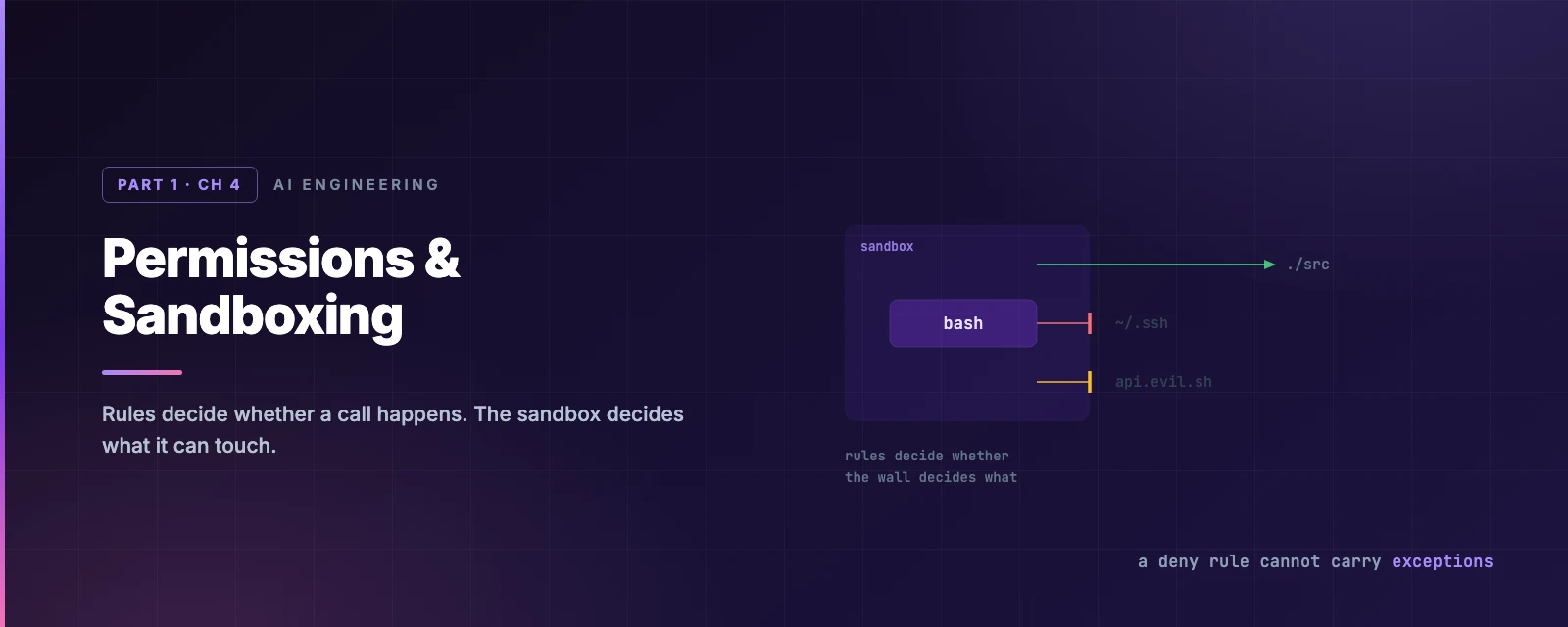
Permissions & Sandboxing
Overview
This chapter covers:
- The three rule tiers, and why a deny rule cannot carry allowlist exceptions
Tool(specifier)syntax — and the wildcard placement that quietly turns a rule for one command into a rule for every command that program offers- Why a path rule means something different depending on which settings file you wrote it in
- What
--add-dirgrants thatadditionalDirectoriesdoes not - Where the Bash sandbox draws an OS-level boundary, and the three things it does not cover
Rules decide whether; the sandbox decides what
Chapter 3 was the mode layer — one dial for the whole session. This chapter is the two layers either side of it, and they answer different questions:
| Layer | Question | Enforced by | Covers |
|---|---|---|---|
| Permission rules | Does this tool call happen at all? | Claude Code, before the call | Every tool — Bash, Read, Edit, WebFetch, MCP |
| The Bash sandbox | What can it touch once it runs? | The operating system | Bash commands and their child processes |
flowchart LR
    C([Bash call]) --> R{Permission rules}
    R -->|denied| X([Never runs])
    R -->|allowed| S[Sandbox]
    S -->|inside the boundary| W([Writes ./src])
    S -->|outside it| B([Blocked by the OS])
    E([Read / Edit / MCP / hooks]) --> R
    E -.->|never enter the sandbox| H([Run on your host])
The distinction matters most when it fails. A Read(./.env) deny rule stops Claude reading your secrets with the Read tool, with cat, and through a < .env redirect — because Claude Code recognises all three. It does not stop python -c "print(open('.env').read())", because that is an arbitrary subprocess doing its own file I/O. Only an OS boundary stops that.
The three tiers
| Tier | Effect |
|---|---|
allow | Runs without a prompt |
ask | Prompts, always |
deny | Blocked |
Underneath the tiers is the default behaviour when no rule matches, and it is worth knowing that an approval’s lifetime depends on what you approved:
| Tool type | Prompts? | “Yes, and don’t ask again” lasts |
|---|---|---|
Read-only — reads, Grep | No, inside the working directories | — |
| Bash commands | Yes, except the built-in read-only set | Permanently, per repository and command |
File modification — Edit, Write | Yes | Until the session ends |
WebFetch | Yes, except pre-approved documentation domains | Permanently, per repository and domain |
That asymmetry catches people: approve a Bash command once and it is saved to .claude/settings.local.json for good, while approving a file edit buys you nothing next session. It is deliberate — a command is a fixed string you can reason about, an edit is not.
Rules are evaluated deny → ask → allow, and the first match wins. Specificity is not consulted. That one sentence has a consequence people repeatedly design around and lose to:
{
  "permissions": {
    "deny":  ["Bash(aws *)"],
    "allow": ["Bash(aws s3 ls)"]
  }
}
aws s3 ls is blocked. The deny matched first, and the narrower allow never gets a look in. A deny rule cannot carry exceptions. The same holds between ask and allow — a matching ask rule prompts even when a more specific allow rule also matches.
The same ordering applies across settings scopes, not just within one file. A user-level deny beats a project-level allow, and a managed deny beats --allowedTools on the command line. Deny is absolute in every direction.
One more distinction worth internalising, because it changes what Claude even knows exists:
- A bare tool name in
deny—"Bash"— removes the tool from Claude’s context entirely. It never sees it. - A scoped rule —
"Bash(rm *)"— leaves the tool available and blocks matching calls when Claude tries them.
Rule syntax
Every rule is Tool or Tool(specifier). Parentheses inside the specifier are literal, so a path like Edit(./Finance (2024)/**) needs no escaping.
Bash: where you put the *
Bash rules match against the whole command text, with * standing in for any text. The placement is the entire game:
| You write | Matches | Doesn’t match |
|---|---|---|
Bash(npm run build) | npm run build | npm run build --watch |
Bash(npm run *) | npm run build, npm run test --watch, npm run | npm install |
Bash(git log *) | git log --oneline main, git log -5 main | git push origin main |
Bash(git * main) | git merge main, git push origin main | git log |
Bash(ls *) | ls -la, ls | lsof |
Bash(ls*) | ls -la, lsof |
Three rules produce that table:
- The
*stands in for whatever is in its place. InBash(git * main)it stands in for the subcommand, so the rule covers every git subcommand — including-c, which makes git run a program you name. Claude Code warns at startup about an allow rule with a*before the subcommand, and that warning is worth reading rather than dismissing. - A trailing
*with a space before it also matches the bare command.Bash(ls *)matches plainls. That holds only when the trailing*is the rule’s only wildcard. - The space before a trailing
*is part of the rule.Bash(ls *)requires a space, solsofmisses.Bash(ls*)has no space, solsofmatches.
The :* suffix is an equivalent spelling of a trailing wildcard — Bash(ls:*) is Bash(ls *) — but it is only recognised at the end. In Bash(git:* push) the colon is a literal character and matches nothing.
Compound commands and wrappers
Claude Code parses shell structure rather than matching the raw string, which cuts both ways.
Separators split the command: &&, ||, ;, |, |&, &, and newlines. An allow rule must match every subcommand — Bash(safe-cmd *) does not approve safe-cmd && other-cmd. A deny or ask rule fires if any subcommand matches, including one nested in a subshell or command substitution, so Bash(git clean *) in ask still prompts for echo "$(git clean -f)".
Wrappers are stripped before matching, so Bash(npm test *) also matches timeout 30 npm test. The list is fixed and not configurable: timeout, time, nice, nohup, stdbuf, the builtins command and builtin, zsh’s noglob, and bare xargs with no flags.
What is not on that list is the trap.
direnv exec,devbox run,mise exec,npxanddocker execall run their arguments as a command, but Claude Code does not strip them — soBash(devbox run *)matches whatever followsrun, up to and includingdevbox run rm -rf .. Write the runner and the inner command together instead:Bash(devbox run npm test), one rule per inner command.
Read and Edit: four anchors
Path rules use gitignore syntax, and the leading characters decide where the pattern is anchored:
| Pattern | Anchored at | Example |
|---|---|---|
//path | The filesystem root | Read(//Users/alice/secrets/**) |
~/path | Your home directory | Read(~/.zshrc) |
/path | The settings file the rule lives in | Edit(/src/**) |
path, ./path | The current directory | Read(*.env) |
The third row is the one that surprises everyone. A single leading slash is not an absolute path. Read(/secrets/**) written in ~/.claude/settings.json matches ~/.claude/secrets/** — not /secrets, and not your project’s secrets/ directory. For a rule in user settings that should apply inside every project, use // or ~/ instead.
Two more asymmetries worth carrying:
- Depth depends on the tier.
Edit(src/**)as an allow rule matches only<cwd>/src. The same pattern as a deny rule matches asrcdirectory at any depth, includingvendor/pkg/src. Deny rules reach further on purpose. - Symlinks are checked twice, on the link and on its target. An allow rule needs both to match; a deny rule fires if either does. A symlink inside an allowed directory pointing at
~/.ssh/id_rsais blocked, which is the behaviour you want.
Rules for Write, NotebookEdit, Glob or MultiEdit paths are accepted and then never consulted — Claude Code checks file access against Edit(...) and Read(...) only. It warns at startup. Use Edit(docs/**) where you were reaching for Write(docs/**).
Match a rule against a command
Edit either field, or load one of the pairs underneath. It models the documented Bash matching rules — separators, wrapper stripping, wildcard placement — rather than being the real matcher, so treat a surprising verdict as a prompt to check the docs.
Where rules live
Rules follow the normal settings precedence, with one override: deny wins from any scope.
| Source | Notes |
|---|---|
| Managed settings | Highest. Nothing overrides it, including CLI flags |
~/.claude/settings.json | Your rules, every project |
.claude/settings.json | Project rules, checked in |
.claude/settings.local.json | Where “don’t ask again” saves rules |
--allowedTools / --disallowedTools | This run only |
/permissions lists every rule and the file it came from, which is the fastest way to answer “why did that prompt”. Since v2.1.234 you can open it while Claude is working and the change lands on the next tool call.
Project allow rules need workspace trust. permissions.allow and additionalDirectories in a repository’s .claude/settings.json grant capability, so Claude Code holds them until you accept the trust dialog for that folder — which lists what it would grant. deny and ask rules are not gated, because they only restrict. A claude -p or SDK run never shows the dialog, so it never applies those allow rules and prints a warning to stderr instead.
Working directories
Claude starts with access to the directory you launched it in. Three ways to widen that: --add-dir <path> at startup, /add-dir mid-session, or additionalDirectories in settings.
The cases that need it are all the same shape — the code you are working on is not all in one checkout: a multi-module project, microservices in sibling repositories, a shared configuration library, or documentation and scripts kept outside the main repo.
They are not equivalent, and the difference is easy to miss:
| Added via | File access | Skills, commands, subagents |
|---|---|---|
--add-dir / /add-dir | Yes | Loaded |
permissions.additionalDirectories | Yes | Not loaded |
Adding a directory extends where Claude can read and edit. It does not make that directory a configuration root — with the exception above, most .claude/ configuration is not discovered from added directories. CLAUDE.md from an added directory loads only when CLAUDE_CODE_ADDITIONAL_DIRECTORIES_CLAUDE_MD=1 is set.
/cd <path> is different again: it moves the session, keeping the conversation but adopting the new directory’s settings, hooks, MCP servers, plugins and CLAUDE.md. Restrict where it can go with Cd rules, which unlike other rules apply only when you run /cd — Claude cannot call it.
The Bash sandbox
Everything so far is Claude Code deciding whether to make a call. The sandbox is the operating system deciding what that call can reach: Seatbelt on macOS, bubblewrap on Linux and WSL2. Native Windows is not supported; run it inside WSL2.
/sandbox opens the panel and tells you what is missing. The default boundary:
- Writes — the working directory, directories you added, and the session temp directory. Nothing else, including
~/.bashrcand/bin. - Reads — the whole machine, minus a denied set. That still includes
~/.aws/credentialsand~/.ssh/, so usesandbox.credentialsordenyReadif that matters to you. - Network — nothing is pre-allowed. The first command needing a host prompts, or goes to the classifier in auto mode. Pre-allow with
allowedDomains, and note thatWebFetch(domain:...)allow rules feed the same list.
{
  "sandbox": {
    "enabled": true,
    "filesystem": {
      "allowWrite": ["~/.kube", "/tmp/build"],
      "denyRead": ["~/"],
      "allowRead": ["."]
    }
  }
}
Sandbox paths use ordinary conventions —
/tmp/buildis absolute. This is not the anchoring scheme that Read and Edit rules use, where//means the filesystem root. The two syntaxes sit in the same settings file and mean different things.
Auto-allow mode
The mode that changes your day. When a command can be sandboxed it runs without asking, because the OS boundary substitutes for the prompt. It works independently of your permission mode — sandboxed Bash commands that modify files run without prompting even in Manual mode, where the Edit tool would still ask.
What survives it: explicit deny rules, content-scoped ask rules like Bash(git push *), and critical-path removals. Plan mode is the exception where auto-allow does not widen approvals.
Commands that cannot be sandboxed fall back to the normal permission flow. Claude may retry them with dangerouslyDisableSandbox, which runs outside the boundary and is gated normally — set "allowUnsandboxedCommands": false to remove that escape hatch entirely.
What the sandbox does not cover
Three gaps, and they are the reason the sandbox is not sufficient for unattended work on its own:
- Only Bash. Read, Edit and WebFetch run inside the Claude Code process, gated by permission rules rather than the OS.
- MCP servers and hooks are separate processes running unconstrained on your host.
- TLS is not inspected by default. The proxy allows or denies on the client-supplied hostname, so a broad entry like
github.comleaves room for domain fronting.network.tlsTerminateis experimental.
Inside the sandbox there is also a second protected-path list — distinct from Chapter 3’s — covering .claude settings, .mcp.json, .git/hooks, shell startup files. A running command could otherwise grant itself permissions or install a hook that runs outside the boundary next session. No allowWrite entry lifts it.
Choosing an isolation boundary
| Approach | What is isolated | Docker |
|---|---|---|
| Bash sandbox | Bash commands and children | No |
| Sandbox runtime | The whole process — file tools, MCP, hooks | No |
| Dev container | Full dev environment | Yes |
| VM | Full operating system | No |
| Claude Code on the web | Full OS, Anthropic-managed | No |
The rule of thumb: auto mode is a per-action control, the sandbox is a boundary, and --dangerously-skip-permissions needs a real one. Because file tools, MCP servers and hooks sit outside the Bash sandbox, bypass sessions belong in a container, a VM, or the sandbox runtime — as a non-root user, which Claude Code enforces by refusing to start as root with that flag.
Summary
- Rules decide whether a call happens; the sandbox decides what it can touch. Neither substitutes for the other.
- Evaluation is deny → ask → allow, first match wins, across scopes as well as within a file. A deny rule cannot carry allowlist exceptions.
- A Bash approval is saved permanently per repository; a file-edit approval dies with the session.
- Put the
*after the subcommand.Bash(git * main)allows every git subcommand,-cincluded. - Wrapper stripping does not cover
npx,docker execordevbox run, soBash(devbox run *)is a rule for arbitrary commands. /pathanchors at the settings file, not the filesystem root. Use//for absolute.Edit(src/**)matches at one depth as an allow rule and at any depth as a deny rule.--add-dirloads skills, commands and subagents;additionalDirectoriesgrants file access only.- The sandbox reads your credential files by default, covers only Bash, and does not inspect TLS.
- Full reference: permissions, sandboxing, sandbox environments.
That closes Part 1. Part 2 turns to context engineering, starting with settings — the four scopes, their precedence, and /status as the debugger for all of it.