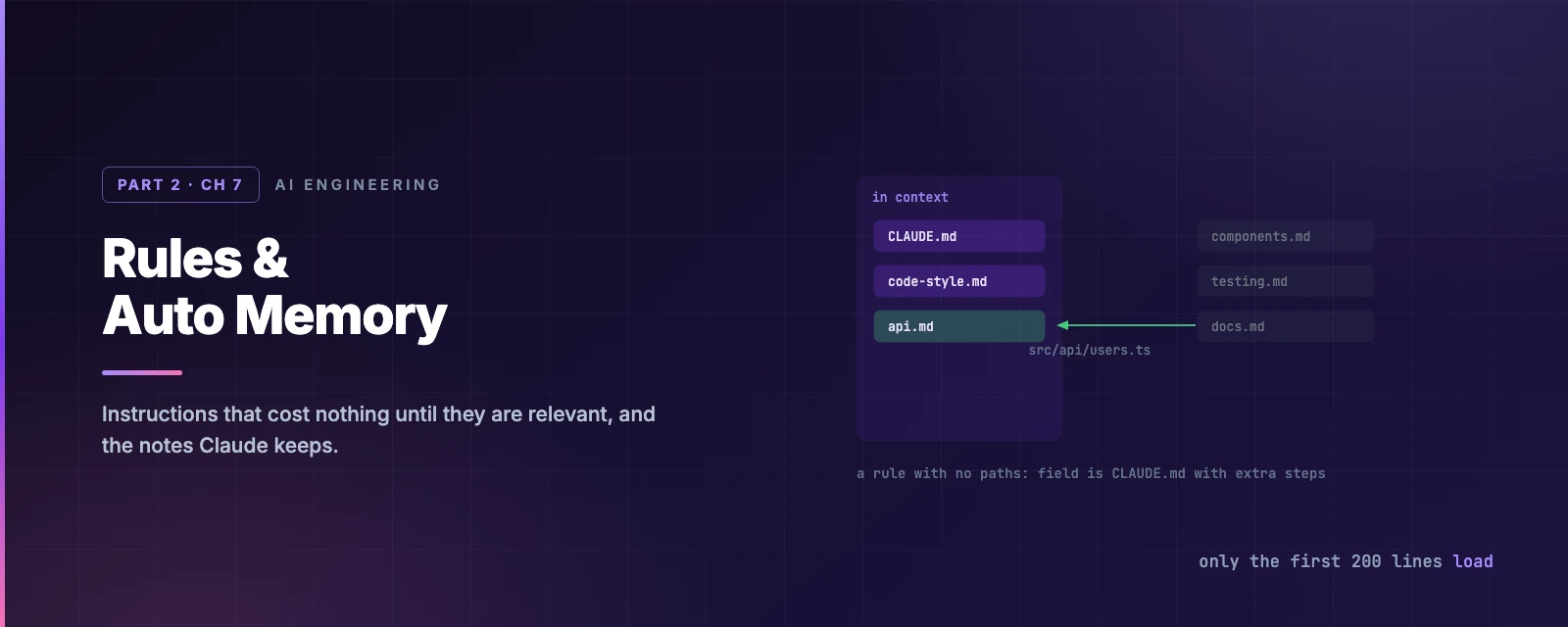
Rules & Auto Memory
Overview
This chapter covers:
- Why splitting
CLAUDE.mdinto rules only helps if the rules are scoped paths:frontmatter, when a scoped rule actually fires, and the glob edge cases that make one match nothing- The four kinds of note Claude writes for itself, and the larger set it deliberately refuses to write
- The 200-line ceiling on
MEMORY.mdand what happens to everything past it - Which of these reach a subagent, and which survive a compact
Two systems, opposite authors
Both load at the start of every session. The difference is who writes them.
CLAUDE.md and rules | Auto memory | |
|---|---|---|
| Written by | You | Claude |
| Holds | Instructions and conventions | Corrections you gave, and preferences it inferred |
| Scope | Project, user, or organisation | Per repository, on this machine |
| Good for | “Always do X” | “You told me last week that X” |
Neither is enforcement. Both are context Claude reads and tries to honour — the Chapter 6 point, and still the reason a guarantee needs a hook.
Rules
Chapter 6 ended on a limitation: @path imports organise a large CLAUDE.md without reducing what loads. .claude/rules/ is the mechanism that reduces it.
The failure it addresses has a name worth borrowing: priority saturation. A 400-line CLAUDE.md holding React conventions, API guidelines, migration warnings, security policy and testing rules is carrying every one of them into every request. When Claude edits a React component it is also holding your database-migration safety rules; when it writes SQL it is holding your React patterns. When everything is high priority, nothing is — attention gets spread across instructions that do not apply to the task in front of it.
The arithmetic is the argument. A 400-line CLAUDE.md is 400 lines competing for attention on every prompt. A 50-line CLAUDE.md plus five 50-line rule files is 100 lines active at any moment — the base file plus the one rule that matches what Claude is actually touching.
your-project/
└── .claude/
    ├── CLAUDE.md
    └── rules/
        ├── code-style.md
        ├── testing.md
        └── frontend/
            └── components.md
Every .md file is discovered recursively, so subdirectories are for your benefit, not Claude’s. A rule with no frontmatter loads at launch with the same priority as .claude/CLAUDE.md — which means splitting a 400-line CLAUDE.md into eight unscoped rule files has changed nothing except your file browser.
The payoff comes from the paths field:
---
paths:
  - "src/api/**/*.ts"
---

# API rules

- Validate input on every endpoint
- Return the standard error shape
That file is not in context when Claude is editing CSS. It enters when Claude reads a file matching the pattern — not on every tool call, and not because the conversation is about the API.
~/.claude/rules/ works the same way for personal rules across every project. They load before project rules, which gives project rules the later, stronger position.
Which of the two does an instruction belong in?
The split is universal versus file-shaped:
CLAUDE.md | A rule file |
|---|---|
| Project overview and tech stack | Patterns specific to one file type |
| Build and test commands | Framework guidelines — React, Spring, Django |
| Architecture overview | Security rules for one sensitive directory |
| Conventions that hold everywhere | Test-writing conventions |
| Gotchas that affect everything | Migration safety rules |
| Git workflow and branching | API design guidelines |
The test: would this instruction be wrong, or merely irrelevant, while Claude edits an unrelated file? Merely irrelevant means it should be scoped.
Watch what loads
The lesson in the numbers: unscoped rules are CLAUDE.md with extra steps. Scoping is the entire feature.
Glob syntax, and three ways to write one that matches nothing
Patterns are globs — **/*.ts, src/**/*, *.md, src/components/*.tsx — and brace expansion works:
paths:
  - "src/**/*.{ts,tsx}"
  - "tests/**/*.test.ts"
Three edges are worth knowing, because each fails silently:
- Brace expansion has a budget. Each group multiplies:
{a,b}/{c,d}/*.{ts,tsx}is eight patterns. A rule’s wholepathslist shares a budget of 1,000 expanded patterns and 4 MiB. Exceed it and the pattern is used unexpanded, so its literal braces match no file. Before v2.1.217 this stalled or crashed the CLI at startup instead. [opens a bracket expression.photos [2024/**is not a path with a bracket in it — it is an unterminated[abc]class, so it matches nothing. Escape it:photos \[2024/**. Before v2.1.207, one invalid pattern made the Read tool fail for every file the rule was checked against.- A rule that never matches looks identical to a rule that is being ignored. There is no error either way.
That last point is why the InstructionsLoaded hook exists: it logs which instruction files loaded, when, and why. For debugging a scoped rule it is the only direct evidence.
Sharing rules between projects
.claude/rules/ follows symlinks, and circular links are detected rather than fatal:
ln -s ~/company-standards/security.md .claude/rules/security.md
ln -s ~/shared-claude-rules .claude/rules/shared
In a monorepo where other teams’ instruction files get swept up, claudeMdExcludes skips them by glob — and it covers rules directories, not just CLAUDE.md:
{
  "claudeMdExcludes": ["/home/me/monorepo/other-team/.claude/rules/**"]
}
Patterns match against absolute paths, arrays merge across settings layers, and for a symlinked rule a pattern matching either the link or its target excludes the file (v2.1.239+; before that, only the target worked).
Auto memory
The other half needs no files from you. As you work, Claude writes notes for itself into a per-repository directory, and reads them back at the start of the next session.
It saves four kinds, tagged in each file’s frontmatter:
type | What it holds |
|---|---|
user | Your role, expertise, working preferences |
feedback | Corrections you gave, and approaches you confirmed |
project | Ongoing work, deadlines, decisions not derivable from the code |
reference | Where information lives outside the project — trackers, dashboards |
What it refuses to save is the more interesting list. Claude skips anything derivable from the codebase — architecture, file paths, how a bug was fixed — and anything your CLAUDE.md already says. It is the same heuristic /doctor applies when trimming CLAUDE.md, and for the same reason: a note that repeats the code is a note that costs context and pays nothing.
It also does not save every session. It writes when something looks useful later, which is why “Saved 2 memories” appears some turns and not others.
Where it lives, and the ceiling
~/.claude/projects/<project>/memory/
├── MEMORY.md            # index, one line per memory
├── user_role.md
└── feedback_testing.md
<project> derives from the git repository, so every worktree and subdirectory of one repo share a single memory directory. It is machine-local: nothing syncs to another machine or to a cloud session.
The number that matters: only the first 200 lines or 25 KB of MEMORY.md, whichever comes first, load at session start. Everything past that is silently dropped on the next load. Topic files are not loaded at startup at all — Claude opens them on demand with its ordinary file tools.
That is why MEMORY.md is an index: one line per memory, detail pushed into topic files. Claude Code measures the file after each write, reminds Claude to shorten it near the limit, and returns an error telling it to rewrite the index once past. The limit applies only to MEMORY.md — a CLAUDE.md loads in full up to 4 MiB.
Memory files are also exempt from the session-transcript retention sweep that cleanupPeriodDays drives. They stay until you or Claude edits them.
Controlling it
| What | How |
|---|---|
| Browse and edit | /memory, then open the auto memory folder — plain markdown, editable and deletable |
| Turn it off for one project | "autoMemoryEnabled": false in that project’s settings |
| Turn it off everywhere | The /memory toggle, or CLAUDE_CODE_DISABLE_AUTO_MEMORY=1 |
| Move the directory | "autoMemoryDirectory": "~/my-memory" — absolute or ~/ only |
Asking Claude to “remember that we use pnpm” writes to auto memory. Asking it to “add that to CLAUDE.md” writes to the file. The distinction is worth making deliberately: auto memory is yours and machine-local, CLAUDE.md is your team’s and committed.
Since v2.1.214 each memory file with frontmatter gets a modified timestamp on write, so both you and Claude can see how stale a fact is. A recalled memory reflects what was true when it was written — if it names a flag or a file, that is a claim to verify, not a fact to act on.
The third layer
CLAUDE.md and auto memory are the two you configure. There is a third that you do not, and naming it completes the picture:
| Layer | Written by | Loaded | Shared |
|---|---|---|---|
CLAUDE.md and rules | You | Every session start | Your team, via git |
| Auto memory | Claude | First 200 lines every session; topic files on demand | Nobody — machine-local |
| Session memory | Claude Code | The conversation itself, and its summaries | Nobody — per session |
Session memory is Chapter 9’s territory: the transcript on disk, the summaries compaction produces, and what --continue and --resume restore. It is what lets you pick up mid-thought rather than mid-project.
The three answer different questions. CLAUDE.md says how this project works. Auto memory says what I learned about you. Session memory says where we were. A setup missing any one of them re-explains something every day.
Where each mechanism reaches
The last question is which of this survives the events that clear context.
Reloads after /compact | Loaded into a subagent | |
|---|---|---|
Project-root CLAUDE.md | Yes — re-read from disk | Yes |
Nested CLAUDE.md, path-scoped rules | When Claude next touches a matching file | On the same terms |
| Auto memory | Yes | No — except a fork, which inherits the parent conversation |
| An instruction given in chat | No | No |
A subagent gets its own auto memory directory if you enable the memory field on it; the main conversation’s memory is not shared into it.
So the diagnostic from Chapter 6 sharpens: if something Claude knew is gone after a compact, it was said in conversation only. If something it knew is gone inside a subagent, it was probably auto memory.
Summary
- Rules exist to defeat priority saturation — when everything is high priority, nothing is. A 50-line
CLAUDE.mdplus five scoped rule files keeps ~100 lines active instead of 400. - Splitting
CLAUDE.mdinto rules saves nothing unless the rules are scoped. An unscoped rule loads at launch like any other instruction. - Placement test: would the instruction be wrong, or merely irrelevant, in an unrelated file? Merely irrelevant means scope it.
- A
paths:rule fires when Claude reads a matching file, not when the conversation is about that area. - User rules load before project rules, so project rules land later and stronger.
- Three silent glob failures: an over-budget brace expansion is used unexpanded, an unescaped
[matches nothing, and neither reports an error.InstructionsLoadedis the way to see what really loaded. - Auto memory saves four kinds of note and deliberately skips anything derivable from the code or already in your
CLAUDE.md. - Only the first 200 lines or 25 KB of
MEMORY.mdload. It is an index; detail belongs in topic files, which load on demand. - Auto memory is per-repository and machine-local, shared across worktrees, and exempt from the transcript retention sweep.
- Auto memory does not reach a subagent, but
CLAUDE.mddoes. - There are three memory layers, not two: your instructions, Claude’s notes, and the session itself.
- Full reference: memory and rules, monorepos.
Chapter 8 is the budget all of this spends: the context window — what fills it, what /compact keeps, and the habits that stop you hitting the ceiling mid-task.