Sessions, Checkpoints & Rewind
Overview
This chapter covers:
- Where a session lives on disk, and the flags a resumed session does not restore
- Branching versus resuming, and what a branch inherits from the running process
- What a checkpoint captures, and the 100-checkpoint and 30-day limits on it
- The four categories of change
/rewindcannot undo — the reason git is still the backstop - Why
/rewindis cheaper than/compact, and when to use each
A session is a file
Every message, tool call and result appends to a JSONL file:
~/.claude/projects/<project>/<session-id>.jsonl
<project> is your working directory path with non-alphanumeric characters replaced by -. That is the whole persistence model — resuming, branching and rewinding are all operations on that file.
Two consequences worth holding:
- Sessions are scoped to a directory — not a branch. The picker shows this worktree by default;
Ctrl+Wwidens to every worktree of the repository,Ctrl+Ato every project on the machine. - Switching branches does not start a new session. Claude always reads files from your active branch, so a
git checkoutswaps the code underneath a conversation that carries on unchanged. That is usually what you want and occasionally exactly what you don’t: Claude still remembers a discussion about code that is no longer checked out. - The entry format is internal and changes between releases. Parse it and your script breaks on an upgrade. Use
/export, orclaude -p --resume <id> --output-format json, which is a supported interface.
Transcripts are swept after 30 days by default (cleanupPeriodDays). CLAUDE_CONFIG_DIR moves the whole store; CLAUDE_CODE_SKIP_PROMPT_HISTORY suppresses writing it at all.
Getting back in
| Command | Does |
|---|---|
claude --continue | Most recent interactive session in this directory |
claude --resume | The picker |
claude --resume <name-or-id> | Straight back in |
claude --from-pr <number> | The picker, filtered to sessions linked to that PR |
/resume | Switch conversations without leaving the session |
Name your sessions — claude -n auth-refactor, or /rename later — and they become resumable by name across the repository and its worktrees. Unnamed sessions get a generated title from your first prompt, which also works as a resume handle, and a default display name like my-app-3f, which does not.
claude -p and SDK sessions are excluded from the picker and from --continue. You can still resume one by ID.
What a resumed session forgets
It restores the conversation, the model, the agent, and any active goal. What it does not restore is the part that catches people:
Flags are not stored in the session.
--mcp-config,--settings,--plugin-dir,--fallback-modeland--add-dirmust all be passed again. Settings files are re-read at launch, so anything living insettings.jsonneeds no repeating — which is a good argument for putting configuration there rather than on the command line.
The other thing that does not survive is session-scoped permission grants. Every “yes, allow for this session” you granted is gone; you re-approve on first use. Forking does not carry them either. The reason is the same in both cases — those grants were scoped to a running session, and resuming starts a new one.
The exception is worth knowing because it is the one people expect to be reset and isn’t: “Yes, and don’t ask again” on a Bash command is not session-scoped. Chapter 4’s approval-lifetime table applies — that answer was written to .claude/settings.local.json and comes back with the file, not the session.
Permission mode is restored only from the terminal with --continue or an unambiguous --resume. Pick the same session from the picker, or switch to it with /resume, and it starts in the mode a new session would use instead. And a session that ended in bypassPermissions or plan never resumes in it — you re-enable those deliberately.
Branching
/branch copies the conversation so far and switches you into the copy. The original is untouched on disk and stays in the picker.
/branch try-streaming-approach
From the command line, claude --continue --fork-session does the same thing.
The distinction that explains everything else: /branch copies the transcript, then points the running process at it. Same process, so:
After /branch | |
|---|---|
| Conversation history | Copied up to the branch point |
| “Allow for this session” grants | Carried over — same process |
| In-flight background subagents and Bash | Keep running; output lands in the branch |
| Remote Control connection | Follows you into the branch |
Fork into a separate process with --fork-session and the session grants do not come with you — you re-approve there.
One thing to avoid: resuming the same session in two terminals without forking interleaves both sets of messages into one transcript.
Worktrees: one repository, several sessions
Branching a conversation is /branch. Branching the files is a worktree, and it is what you want when two pieces of work would otherwise collide in one directory — a feature in one session, a production bug in another.
A git worktree is a second working directory on its own branch, sharing the repository’s history and remote. Claude Code creates one for you:
claude --worktree feature-auth # or -w
By default that creates .claude/worktrees/feature-auth/ at the repository root, on a new branch worktree-feature-auth, and starts the session inside it. Omit the name and one is generated. Run it again elsewhere with a different name and you have two isolated sessions.
You can also just ask mid-session — “work in a worktree” — and Claude creates one and moves into it.
Add
.claude/worktrees/to your.gitignore, or every worktree shows up as untracked files in your main checkout.
What isolation actually enforces
This is stronger than “different directory”. While a session is in a worktree, Claude Code blocks any tool call that would reach back into the main checkout: an edit targeting a path there, a shell command whose working directory resolves there, and a git command redirected there via git -C, --git-dir, GIT_DIR or a cd. If it cannot verify from the command text that git stays inside the worktree, it refuses and tells Claude how to rewrite it. That last check cannot be turned off.
Three details that bite
- A worktree is a fresh checkout, so your gitignored files are not there. No
.env, no local config. A.worktreeincludefile at the project root — gitignore syntax — copies the ones you name into every new worktree. - New worktrees branch from the repository’s default branch, not your current work. Set
worktree.baseRefto"head"if you want your unpushed commits to come along. - Cleanup depends on what is in it. Exit a clean unnamed worktree and Claude removes it and its branch. If it holds changes, untracked files or commits, you are asked whether to keep it. A
-prun has no exit prompt, so it cleans up nothing.
Two things are shared with the main checkout rather than duplicated: the .git directory, so git commit works from inside a worktree even with the sandbox on, and saved permission approvals, which land in the main checkout’s .claude/settings.local.json and therefore apply across every worktree of the repository.
Checkpoints
Separate machinery from sessions, and narrower than people assume. Every prompt you send creates a checkpoint capturing the state of your code beforehand.
The limits:
- The 100 most recent checkpoints in a session keep file snapshots.
- Snapshots are deleted in the same 30-day retention sweep as transcripts. Rewinding to a checkpoint whose snapshots are gone fails with
No files were restored. - Checkpoints are saved with the conversation, so
/rewindstill works after a resume.
/rewind — or Esc Esc on an empty prompt — lists every prompt you sent, and offers six actions:
| Action | Effect |
|---|---|
| Restore code and conversation | Both back to that point |
| Restore conversation | Rewind messages, keep current code |
| Restore code | Revert files, keep the conversation |
| Summarize from here | Compress everything after that point |
| Summarize up to here | Compress everything before it |
| Never mind | Back out |
The two code options appear only when that checkpoint actually has tracked edits to revert.
What rewind restores, and what it cannot
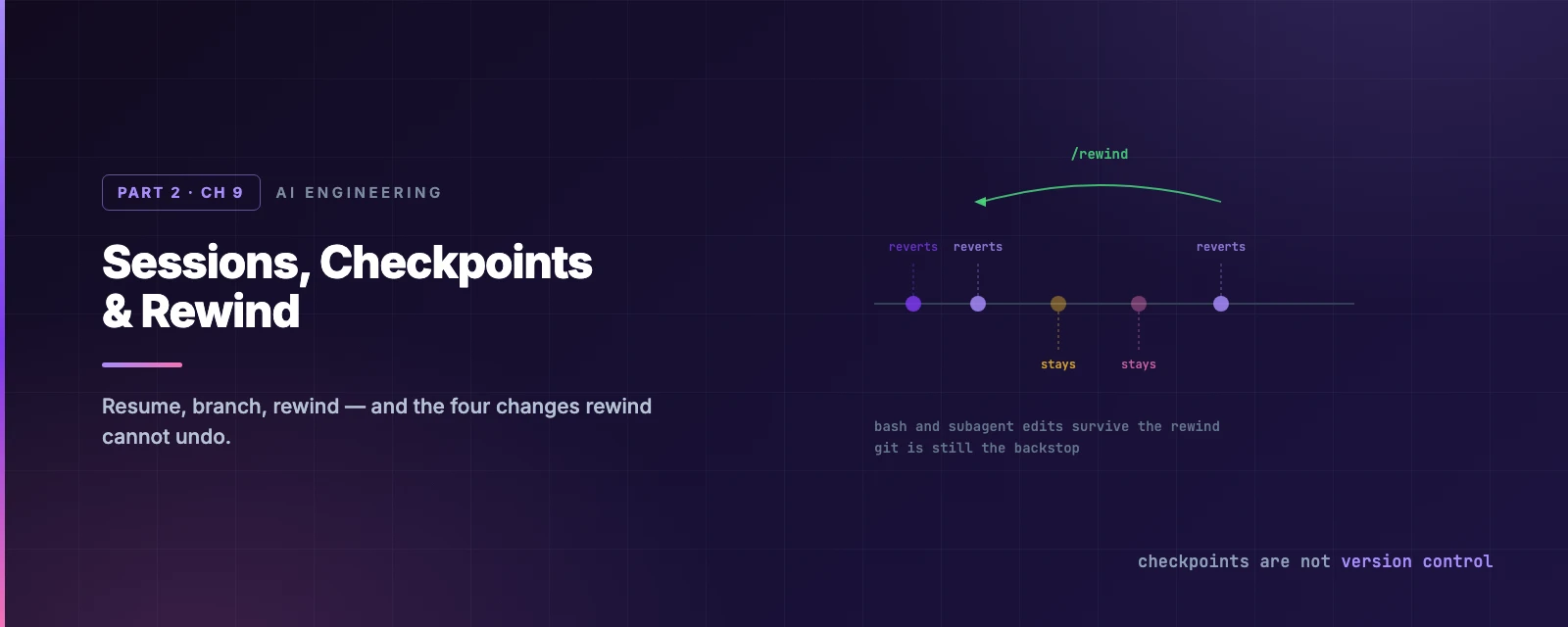
Four categories of change survive a rewind, and each has its own reason:
- Bash commands.
rm,mv,cp,sed— nothing done by a shell command is tracked. Only edits made through Claude’s file-editing tools are. - Subagent edits. A subagent edits your working tree, but its edits are usually not captured in your session’s checkpoints. The exception is a foreground forked skill (
context: forkwithbackground: false), which edits during your own turn and rewinds normally. A background fork or a/code-review --fixrun does not. - External changes. Your own edits in another editor, and edits from a concurrent session, unless they happen to touch the same files.
- Symlinked and hard-linked paths. Skipped, with a
Restored the code, but skipped N fileswarning. Dotfile-manager symlinks and pnpm’s hard links both land here./debugbefore restoring makes the debug log name each skipped path.
This is the sentence to take away: checkpoints are session-level undo, not version control. Anything that matters gets committed. The four categories above are exactly the ones a
git statuswould have caught.
Rewinding past a /clear
If you ran /clear earlier in the same process, the rewind menu carries an extra entry at the top — /resume <session-id> (previous session) — that takes you back to the conversation /clear ended. It lasts until you exit or resume something else (v2.1.191+).
Rewind, compact, branch: choosing
All three reduce what you are carrying, and Chapter 8 gave the cost argument. Restated as a decision:
| Situation | Use | Why |
|---|---|---|
| This approach was wrong; go back | /rewind | Truncates to a prefix already in the cache |
| Task finished, starting another | /compact at the break | You choose what the summary keeps |
| Unrelated work | /clear | Old conversation is re-sent every turn |
| Want to try B without losing A | /branch | The original stays intact on disk |
Summarizing from the rewind menu is a targeted /compact that keeps you in the same session — and it does not touch files on disk. The original messages also remain in the transcript, so the detail is still there for Claude to look up.
Document and clear
One habit is worth naming on its own, because it solves the case none of the commands above handle: a task too large for one context window.
Ask Claude to write its plan and progress into a .md file. Run /clear. Start again by telling it to read that file and continue.
You get a fresh context window with the knowledge preserved — and unlike compaction, you chose what survived, it is on disk where you can read and correct it, and it outlives the session entirely. Chapter 8’s rule stated the general form: anything that must outlive a compact belongs in a file. This is that rule applied to the work itself.
Resuming a large old session
On Pro or Max, resuming a session over ~100,000 tokens that has been idle more than about an hour opens a dialog before your first message. Its prompt cache has expired, so the next request processes the full history once whichever option you pick:
| Option | Later requests carry |
|---|---|
| Resume from summary | The summary, your recent exchanges, up to five re-read files |
| Resume full session as-is | The whole history, re-cached |
| Don’t ask me again | As-is, and the dialog stops appearing |
The trade is per-request cost against detail. Resuming as-is keeps everything and pays for it on every turn afterwards; the summary is cheaper forever after, minus whatever it left out.
Summary
- A session is
~/.claude/projects/<project>/<session-id>.jsonl, swept after 30 days by default. The format is internal — use/exportor-p --output-format json. - A resumed session does not restore your flags.
--mcp-config,--settings,--add-dirand friends must be passed again; settings files are re-read. - Permission mode is restored only from the terminal, and never for
planorbypassPermissions. - Session-scoped permission grants do not survive a resume or a fork — you re-approve. A Bash “don’t ask again”, though, lives in a settings file and does come back.
- Sessions are tied to a directory, not a branch:
git checkoutswaps the files underneath an unchanged conversation. /branchcopies the transcript and keeps the same process, so session permission grants carry over.--fork-sessioninto a new process does not.claude --worktree <name>gives a session its own checkout and branch, and Claude Code enforces the isolation by blocking edits, commands and git redirects aimed at the main checkout.- A worktree has none of your gitignored files — use
.worktreeinclude. - For a task bigger than one context window: write the plan to a file,
/clear, and read it back. - Every prompt makes a checkpoint, snapshots kept for the 100 most recent and 30 days.
- Rewind cannot undo bash commands, most subagent edits, external changes, or symlinked paths. Git is still the backstop.
/rewindreturns to a cached prefix;/compactbuilds a new one;/branchpreserves the original.- Full reference: sessions, checkpointing.
That closes Part 2. Part 3 turns to teaching Claude new behaviour, starting with output styles — the smallest of the extension points, and the one that changes how every response reads.