Sub-Agents
Overview
This chapter covers:
- Why one prompt with four tasks in it drowns your context window
- What a subagent starts with — and the four things it deliberately does not inherit
- The three built-ins, and which of them skips your
CLAUDE.mdon purpose memory, which gives an agent the one thing a fresh context window cannot have- Foreground, background, and the fork — three ways to delegate that behave differently
The problem is not capability
Ask for four things at once:
Run the full test suite, explore the authentication module, fetch the
latest API docs, then fix the failing tests.
Claude will do it. But within minutes your window holds hundreds of lines of test output, a wall of documentation, and the contents of files nobody will look at again — all of it crowding out the part you actually care about, which is the fix.
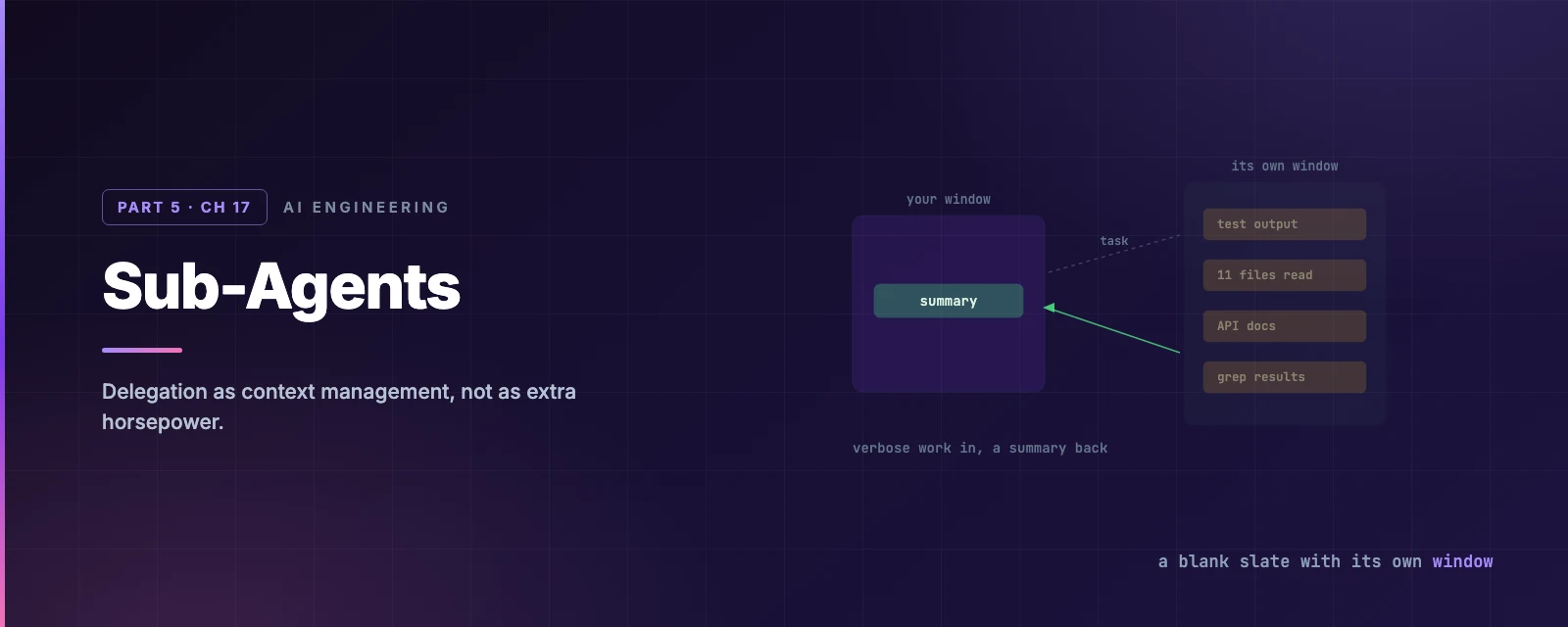
Chapter 8 gave the arithmetic. This is the mechanism that fixes it: hand the noisy work to something with its own context window, and take back only the summary.
A subagent is a blank slate
That phrase is the whole design. A subagent starts fresh, cut off from your conversation, holding only what you handed it.
What it does get:
| Its own system prompt | The Markdown body of its definition file — not Claude Code’s |
| A task message | The handoff Claude writes when delegating |
CLAUDE.md | The full hierarchy — with an exception below |
| Git status | A snapshot from when the parent session started |
| Preloaded skills | Whole content of anything in its skills field |
What it does not get, and each omission is deliberate:
- Your conversation history. It has no idea what you have been discussing. For a generic subagent you must re-explain the situation — that is the cost of the isolation, not a bug in it.
- Your output style (Chapter 10). It runs its own system prompt.
- Your auto memory (Chapter 7). It gets its own, if you enable it.
AskUserQuestion. It cannot stop and ask you something. Ambiguity has to be resolved in its instructions, before it starts.
Chapter 12 put hooks outside the context window. Subagents belong in the same column, for a different reason: a hook never enters your window, and a subagent has a window of its own.
The three built-ins
You get three without writing anything:
| Agent | Tools | Model |
|---|---|---|
| Explore | Read-only | Inherits, capped at Opus on the Claude API |
| Plan | Read-only | Inherits — this is what plan mode uses to research |
| general-purpose | Everything a subagent can have | Inherits |
Explore and Plan skip your
CLAUDE.mdand git status on purpose. Their job is to look things up and report back, and loading your whole instruction set into a lookup would defeat the point of delegating it. If you want an Explore agent that behaves differently, define your own namedExplore— a user or project definition overrides the built-in.
Watch the window
Task: run the full test suite, explore the auth module, fetch the API docs, then fix the failing tests
Writing one
A subagent is a Markdown file in .claude/agents/ or ~/.claude/agents/ — YAML frontmatter, then a system prompt:
---
name: test-runner
description: Runs the test suite and reports only what failed. Use proactively after code changes.
tools: Bash, Read, Grep
model: sonnet
---

Run the project's test suite. Report only failures: the test name, the
assertion, and the file and line. Do not summarise passing tests, and do
not attempt fixes unless asked.
The deck’s
/agentswizard is gone. It created agents interactively up to v2.1.197; from v2.1.198 the command just points you at the directory. The replacement is better anyway — describe what you want and Claude writes the file, frontmatter and all.
The fields that change behaviour
There are around eighteen. These five do the work:
| Field | Why |
|---|---|
description | The delegation trigger. Claude reads this to decide whether to hand work over |
tools / disallowedTools | An allowlist and a denylist. Denylist applies first |
model | Route cheap work to a cheap model — the lever people forget |
memory | user, project or local |
isolation: worktree | Its own checkout, with Chapter 9’s enforcement |
Keep description short. Every agent’s description sits in your context, and past a 15,000-token total you get a startup warning. Detail belongs in the system prompt, which only loads when the agent actually runs — the same progressive-disclosure argument as skills.
model is where the cost saving is. A test-runner that reads output and reports failures does not need your main model; model: haiku on that one agent changes what a busy session costs. CLAUDE_CODE_SUBAGENT_MODEL sets a default for all of them.
Restricting tools is the point, not a precaution
tools: Read, Grep, Glob
A research agent that cannot write is a different thing from one you asked not to. This is Chapter 12’s distinction — instruction versus guarantee — applied to delegation.
Two mechanics worth knowing: disallowedTools: mcp__* strips every MCP tool, and if tools resolves to nothing the agent fails to start with an error naming the entries it could not resolve. Before v2.1.208 it launched with no tools at all and simply failed at the first step, which was much harder to diagnose.
Memory gives it a past
A fresh context window every time is the point — and the limitation. memory is the exception:
memory: project
| Value | Lives in | For |
|---|---|---|
user | ~/.claude/agent-memory/<name>/ | Learning that should follow you between projects |
project | .claude/agent-memory/<name>/ | Project knowledge, committed with the repo |
local | .claude/agent-memory-local/<name>/ | Project knowledge, kept off git |
With it on, the agent’s system prompt gains memory instructions, the first 200 lines of its MEMORY.md load automatically — Chapter 7’s ceiling, applied per agent — and Read, Write and Edit are enabled so it can maintain the file.
The habit that makes it pay: tell it when to look and when to write. “Check your memory for similar issues before analysing this code” at the start; “save what you learned” at the end. A reviewer that has seen your codebase fifty times is worth more than one seeing it fresh.
It depends on autoMemoryEnabled. Turn auto memory off and the memory field does nothing.
How work reaches an agent
Automatically. Claude decides from your wording, the agent’s description, and the current context. Adding “use proactively” to a description pushes it towards delegating without being asked.
Explicitly, in plain language — “use the test-runner subagent to fix the failing tests” — or with @ for a guarantee: @"code-reviewer (agent)".
For the whole session, with claude --agent code-reviewer or an agent key in settings. The session runs as that agent.
Foreground, background, fork
Three shapes, and the differences are not cosmetic:
| Foreground | Background | |
|---|---|---|
| Your session | Blocked until it finishes | Keeps going |
| Tools | The full set | A reduced set |
| Permission prompts | Passed straight to you | Surfaced in your session; Esc denies one call |
| Results | Immediately | A later turn, after a notification |
In an interactive session fork mode is on by default, so spawned subagents run in the background. That is why Chapter 11 warned that a background forked skill’s edits fall outside your checkpoints — it is the same mechanism.
A fork is the exception to everything above. It inherits the parent conversation entirely: system prompt, tools, model, full history. So it needs no re-explaining, and its tool calls stay out of your window — you get only the result.
/subtask draft unit tests for the parser changes so far
The rule of thumb: a subagent for work that needs no context, a fork for work that needs all of it.
The bill
Delegation is not free, and three limits are worth knowing before you fan out:
- 20 concurrent subagents by default.
CLAUDE_CODE_MAX_CONCURRENT_SUBAGENTSraises it. - Three layers of nesting. A subagent can spawn subagents, three deep from your conversation; at the limit the
Agenttool is withheld.CLAUDE_CODE_MAX_SUBAGENT_SPAWN_DEPTHset to1disables nesting. - Its own cache. From Chapter 8: a subagent starts a fresh prompt cache, and subagents sit outside the main-conversation TTL bucket — five minutes even on a subscription, unless you set
subagentPromptCacheTtl.
Which is the honest summary of when to delegate: when the output would be verbose and the input is small. A subagent that needs three paragraphs of context to do one file read has cost you more than it saved.
Summary
- A subagent is a blank slate with its own context window. Verbose work goes in, a summary comes out.
- It does not inherit your history, output style, auto memory, or the ability to ask you a question.
- Explore and Plan skip
CLAUDE.mddeliberately. Define your ownExploreto change that. descriptionis the delegation trigger and lives in your context — keep it short, put detail in the system prompt.modelis the cost lever. Route noisy, simple work to a cheap model.- Restricting
toolsis a guarantee, not a request. An empty resolved list fails at startup rather than silently. memorygives an agent a past:user,projectorlocal, with the same 200-line ceiling as Chapter 7.- Fork mode is on by default in interactive sessions, so spawned agents run in the background with a reduced tool set.
- Subagent for work needing no context; fork for work needing all of it.
- Full reference: subagents.
Chapter 18 takes this further: several agents working at once, on the same repository, without colliding.