When It Goes Wrong
Overview
This chapter covers:
- The one question that routes a symptom to the right documentation page
- The commands that show what Claude Code actually loaded, rather than what you wrote
- Narrowing a configuration problem in two steps, without deleting anything
- The location and syntax mistakes behind most “my hook never fires”
- Performance, hangs and search failures — and the one command whose output you must not share
Start by routing
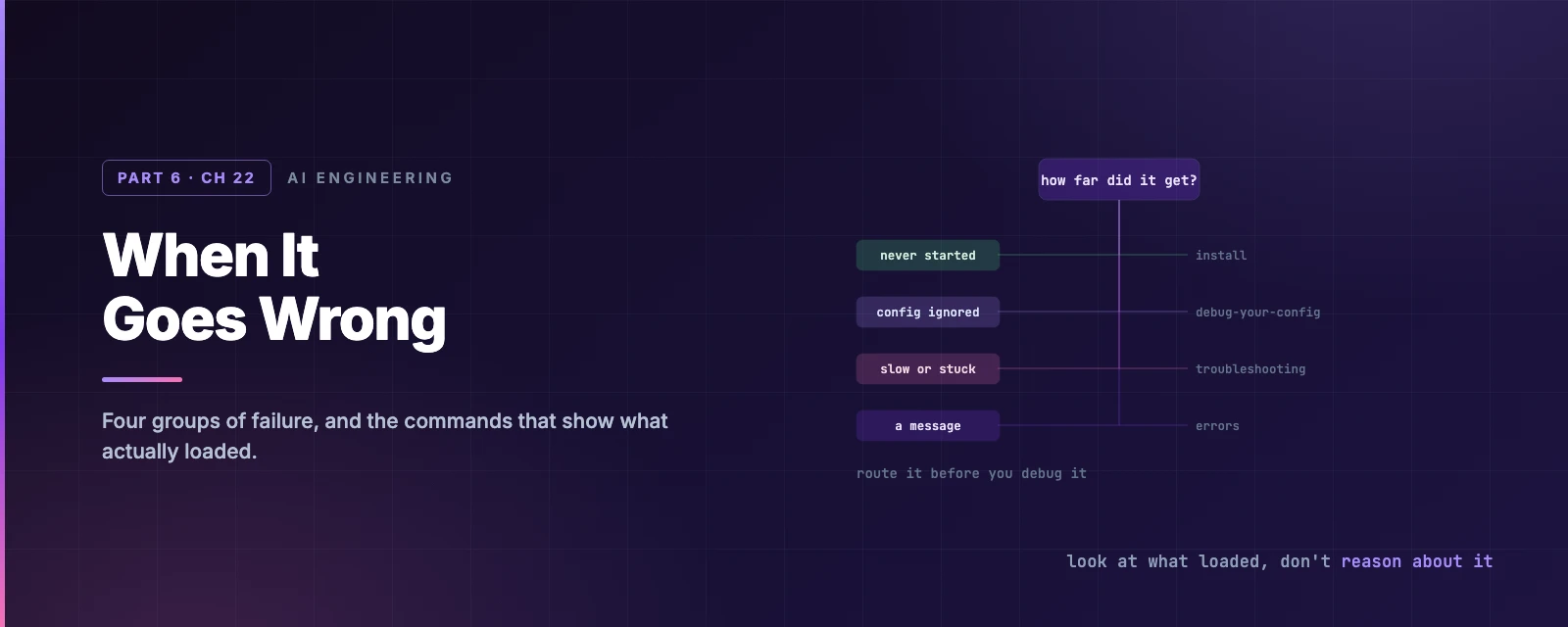
Failures split into four groups, and each has its own page. Getting this wrong is how an afternoon disappears: hunting a settings problem in the install guide finds nothing, because nothing is there.
The question that sorts them: how far did it get?
| It got as far as | Group | Page |
|---|---|---|
| Not to a prompt at all | Install and login | troubleshoot-install |
| A session, but your config isn’t taking effect | Configuration | debug-your-config |
| Running, but slow, stuck, or not finding files | Performance | troubleshooting |
| A specific message on screen | Errors | errors |
And two commands to run before anything else, because they often answer it for you:
claude doctor    # from your shell — read-only,
                 # and works when claude won't start
/doctor          # inside a session — checks installation, settings,
                 # extensions and context, then offers fixes
/doctor also catches things you would never think to look for: invalid settings files, duplicate subagent names in one directory, and CLAUDE.md content Claude could have derived from the codebase anyway.
Configuration: see what loaded
The rule that saves the most time here: a configuration problem is almost never the content, and almost always the location. The file didn’t load, it loaded from somewhere else, or something overrode it.
So don’t reason about it. Look.
| Command | Shows |
|---|---|
/context | Everything in the context window, by category — memory files, skills, MCP tools, subagents and the source each came from |
/memory | Where every memory file lives, across user and project scope |
/skills | Skills from project, user and plugin sources |
/hooks | Every hook registered this session, grouped by event |
/mcp | Servers, connection status, and approval state |
/permissions | The resolved allow and deny rules |
/status | Which settings sources are active, managed settings included |
/debug [issue] | Turns on debug logging and asks Claude to diagnose from it |
Run /context first, every time. It answers the only question that matters at this stage — is the thing there at all — and the answer forks the whole investigation:
flowchart TB
    C([/context]) --> Q{Is it listed?}
    Q -->|no| L[A location or syntax problem]
    Q -->|yes| W[A wording problem]
    L --> T[Check the traps below]
    W --> M[Be more specific, or enforce it]
If it loaded and Claude still ignores it, no amount of file-moving will help. Adherence drops when an instruction is vague, when two files disagree, or when the file has grown long enough that nothing in it gets much attention — Chapter 6’s territory. And if it must never happen, CLAUDE.md was the wrong tool: permissions and hooks give a guarantee, CLAUDE.md gives guidance.
Narrowing it, in two steps
Don’t start deleting files. Start subtracting whole layers.
claude --safe-mode
Runs with every customisation off — CLAUDE.md, skills, plugins, hooks, MCP servers, custom commands and agents — while authentication, model, built-in tools and permissions keep working. If the problem disappears, it’s one of yours; go back and check them individually. It is also the fastest test for “is a plugin eating my CPU”.
If the problem survives safe mode, subtract your configuration directory too:
cd /tmp && CLAUDE_CONFIG_DIR=/tmp/claude-clean claude
Nothing from ~/.claude, nothing from the project. You’ll get the first-run theme picker — which is how you know it worked — and you’ll have to log in again.
Neither step escapes managed settings. Those come from MDM profiles, registry policy and
managed-settings.json, all outside the configuration directory, and a clean session fetches server-managed settings again as soon as it has credentials. If a problem survives both steps,/statusis the next call.
The traps
Most configuration surprises are one of a small number of mistakes, and they share a shape: the file is fine, it’s just not where something reads it.
| Symptom | Cause |
|---|---|
Permissions, hooks or env set globally do nothing | They went in ~/.claude.json, which holds app state. They belong in ~/.claude/settings.json — two different files |
A settings.json value seems ignored | The same key is in settings.local.json, which wins |
| A hook never fires | matcher is an array instead of a string; or lowercase ("bash" — matching is case-sensitive); or the hooks live in a standalone file. Only plugins get a separate hooks/hooks.json |
| A skill never appears | It’s skills/name.md instead of skills/name/SKILL.md |
| A skill appears but is never used | disable-model-invocation: true — /skills shows it as user-only — or the description doesn’t match how you phrase the request |
A subdirectory CLAUDE.md seems ignored | Those load on demand, when Claude reads a file in that directory. Not at launch, and not when writing one |
A subagent ignores CLAUDE.md | The built-in Explore and Plan agents skip it. Restate it in the delegating prompt |
.mcp.json never loads | It belongs at the repository root, not under .claude/, with servers under mcpServers — not servers, which is VS Code’s shape |
| An MCP server fails from some directories | A relative path in command or args. Those resolve against your launch directory, not against .mcp.json |
Bash(rm *) doesn’t block /bin/rm | Prefix rules match the command string, not the executable. Chapter 4’s point, restated: for a guarantee, use a hook or the sandbox |
Two more worth carrying. An array where a string belongs is a schema error, and Claude Code rejects the whole settings file — so one bad matcher can silently disable every hook you have. And a connected MCP server listing zero tools is a different failure from one that won’t connect: reconnect from /mcp, and if it stays at zero, claude --debug=mcp puts the server’s stderr in ~/.claude/debug/<session-id>.txt.
Performance, hangs and search
High CPU or memory — the ladder is /compact, restart between major tasks, put build directories in .gitignore, then --safe-mode to find out whether it’s yours. If it survives all four, /heapdump writes a snapshot and a diagnostics file to your Desktop.
The
.heapsnapshotfile contains every string in the process — your whole conversation, and your credentials. Never attach it to a public issue. The-diagnostics.jsonbeside it carries the statistics with none of the content; that is the one to send.
Auto-compaction thrashing (Autocompact is thrashing: the context refilled to the limit…) means compaction worked and something immediately refilled the window, repeatedly. Claude Code gives up rather than burn calls on a loop. The fix is upstream: read the oversized file in ranges, /compact keep only the plan and the diff, move the work to a subagent, or /clear.
A hang is Ctrl+C, then close the terminal if that fails. Nothing is lost — claude --resume in the same directory picks the session back up.
Search finding nothing — @file mentions, agents and skills all going quiet together — usually means the bundled ripgrep won’t run on your system. Install your platform’s package, then:
{ "env": { "USE_BUILTIN_RIPGREP": "0" } }
claude doctor confirms it: the Search line should show your system binary’s path instead of OK (bundled).
On WSL, search across
/mnt/c/returns fewer results than it should, andclaude doctorstill reports Search as OK — there is no error to find. Move the project onto the Linux filesystem, or narrow your searches.
Errors
The error reference is a lookup table, not a read. What’s worth knowing in advance is the shape of the four families:
| Family | Recognise it by | The move |
|---|---|---|
| Transient | 529 Overloaded, 500, connection dropped, “went to sleep” | Mostly retried for you — up to 10 attempts. Sending continue resumes a response cut off mid-stream |
| Context | Prompt is too long, Context limit reached | /compact, or /clear when the conversation is a single huge exchange that cannot be compacted |
| Auth | 401, 403 Forbidden, OAuth or token messages | Nearly all of them: /login |
| Config | Malformed rules, invalid settings, unrecognised model | claude doctor, then fix the file it names |
Three knobs behind the retry behaviour, useful on a bad network: CLAUDE_CODE_MAX_RETRIES (10, capped at 15), API_TIMEOUT_MS (10 minutes), and CLAUDE_CODE_RETRY_WATCHDOG=1, which retries 429 and 529 indefinitely.
And one error whose cause is never where you look. This organization has been disabled while your subscription is perfectly active means an ANTHROPIC_API_KEY in your environment is overriding it — often left behind by another tool. Under -p the key is always used when present. unset ANTHROPIC_API_KEY, then check your shell profile so it stays gone.
Install and login
Two checks cover most of it. which -a claude — more than one result is the problem, and the native install at ~/.local/bin/claude is the one to keep. And is ~/.local/bin on your PATH — the usual cause of command not found right after a successful install.
The VS Code extension bundles its own private copy of the CLI and puts nothing on your
PATH. If that is all you installed,claudein a terminal is genuinely not there.
For login, the reset is /logout, close, restart. In WSL2, over SSH, or in a container, the browser opens on the wrong host and its redirect can’t reach the local callback — press c to copy the OAuth URL and open it yourself, or fall back to claude auth login.
On macOS, credentials go in the login Keychain; when it’s locked, Claude Code falls back to a file and claude doctor says so with a macOS Keychain is not writable warning. security unlock-keychain fixes it, then /logout and /login moves the credentials back.
Reporting it
/feedback from inside a session sends it to Anthropic directly. Otherwise: GitHub issues for bugs, with your OS, the command you ran and the full error — but account, billing and subscription problems go to support, not GitHub.
And the one that gets forgotten: Claude Code has its documentation built in. Asking it is often faster than searching.
Summary
- Route first. How far did it get — install, configuration, performance, or a specific message? Four groups, four pages.
claude doctorfrom the shell,/doctorinside a session. Then/context.- A configuration problem is a location problem far more often than a content one — so look at what loaded instead of reasoning about what you wrote.
- Narrow by subtraction:
--safe-mode, then a cleanCLAUDE_CONFIG_DIR. Managed settings survive both. - The common traps:
~/.claude.jsoninstead ofsettings.json, an array matcher,skills/name.mdinstead ofname/SKILL.md,.mcp.jsonunder.claude/. One bad matcher rejects the whole settings file. /heapdump’s.heapsnapshotcontains your conversation and credentials. Send the-diagnostics.jsoninstead.- WSL search quietly returns fewer results, and
claude doctorreports it as fine. This organization has been disabledon a live subscription is a strayANTHROPIC_API_KEY.
Chapter 23 is the capstone: one repository configured end to end, and what to do after this handbook.